

REAPER: Adjustments after installing
-
Open REAPER
-
Click on
Options>Preferences.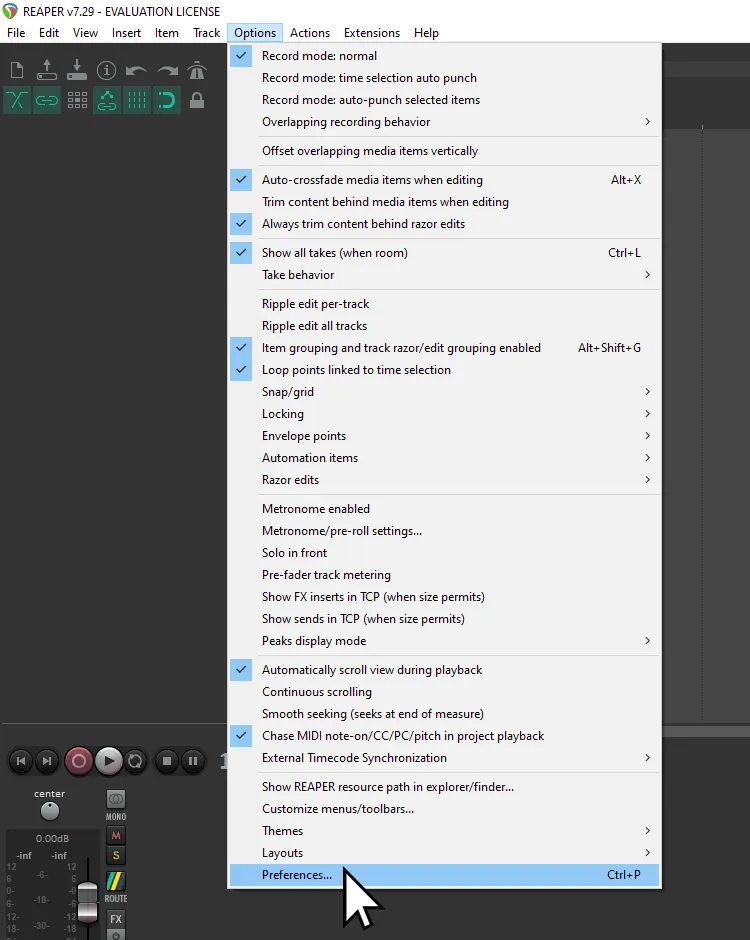
-
Scroll down to
Project -
Click on
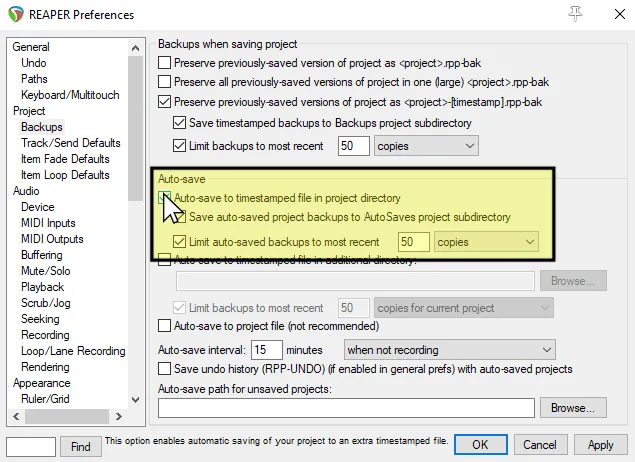
Backups.- a. Enable
Auto-save to timestamped file in project directory.
- a. Enable
-
Scroll down to
Audio. -
Click on
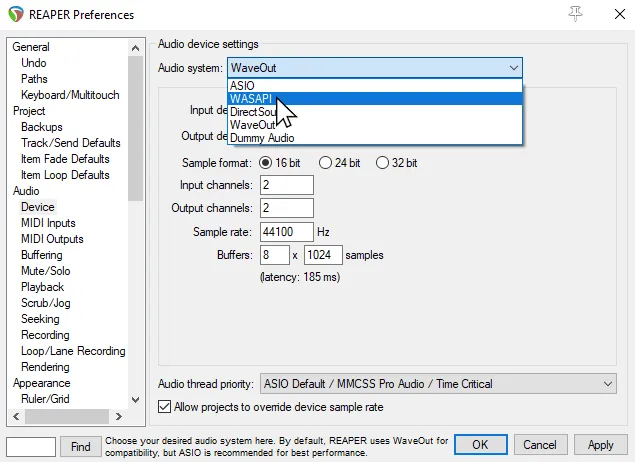
Device.- a. Change
Audio SystemtoWASAPI.
- a. Change
-
Scroll down to
Media. -
Click on
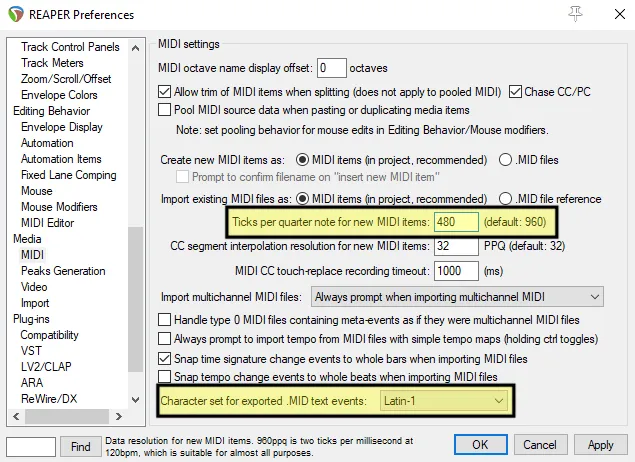
MIDI.- a. Change
Ticks per quarter note for new MIDI itemsto480. - b. Change
Character set for exported .MID text eventstoLatin-1.
- a. Change
-
Scroll down to
Plug-ins -
Click on
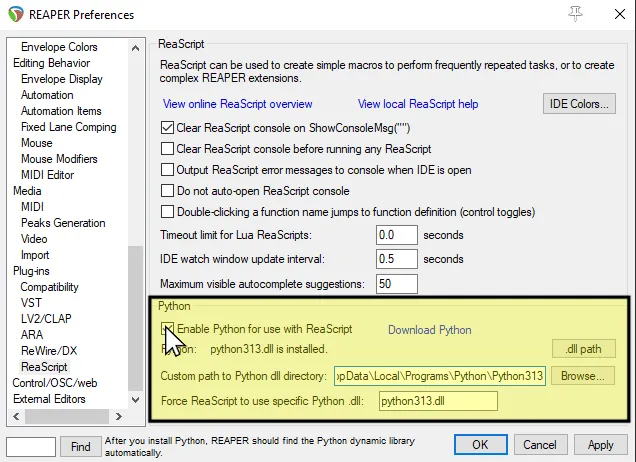
ReaScript -
Enable
Python for use with ReaScript.- a. If Python isn’t found, it’s usually in
%LOCALAPPDATA%\Programs\Python[Python Version] - b. The DLL will always be “
Python[version].dll”, i.e.Python312.dll
- a. If Python isn’t found, it’s usually in