Essentials
Here’s some other great stuff to keep in mind while working with REAPER for charting. It’s recommended to keep this page handy for future reference.
Additional Downloads
Section titled “Additional Downloads”It’s worth checking this stuff out and downloading it!
- [MAGMA] - A tool to compile your custom so it can go in the game. It’s still in use and has been improved over the years.
- [Nautilus (formerly known as C3 CON Tools)] - The Swiss army knife of Rock Band stuff. Lots of great and specific tools for customs.
- [Onyx] - A must have tool if you’re testing on RPCS3 as it can export into a modern PS3 format.
- [Ultimate Vocal Remover GUI] - Contrary to what the name is, this does a lot more than just remove vocals. This is (local non-gen) open source AI stem separation software that can greatly help in separating a song into separate elements to help with charting. The version linked is a beta version that includes the ability to import Roformer models. Here are the suggested models:
- Demucs:
- htdemucs_ft - Lightweight model that separates into four instruments.
- htdemucs_6s - Similar as the above but gives you six instruments instead of the usual four.
- MDX-NET
- [BS Roformer SW] - Like htdemucs_6s but with monumentally superior quality. Requires at least 6 GBs of VRAM!
- UVR-MDX-NET INST HQ 3 or 5 - Essential as it usually gives better vocal isolation than Demucs.
- [Drumsep] - Essential as it separates a stereo drum track into various elements. Helps a ton with drum charting.
- [Download
.yaml] here.
- [Download
- Demucs:
- [Mvsep] - Like UVR but it runs on a server. You are restricted to MP3 quality and there is a queue. You can pay to avoid this.
Plugin Shortcuts
Section titled “Plugin Shortcuts”Use the following keys to quickly access these plugins:
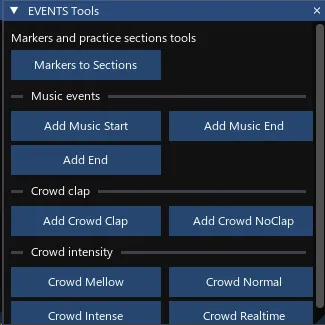
- F6 - [EVENTS Tools]: Tools for the EVENTS track. Helps simplify dealing with crowd states and section events.
- F7 - [EncoreVoxPreview]: See your vocal chart in real time. Includes harmonies as well!
Swap between tracks with[and]keys.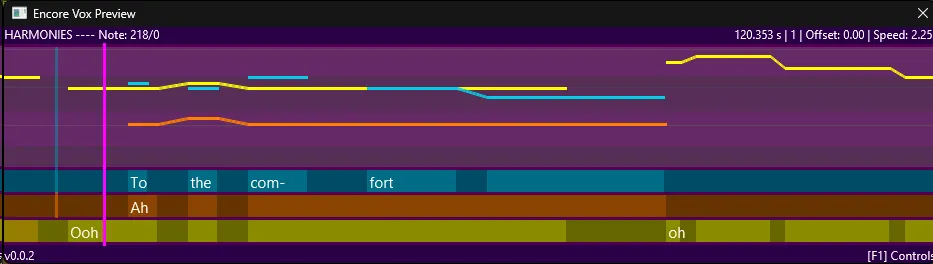
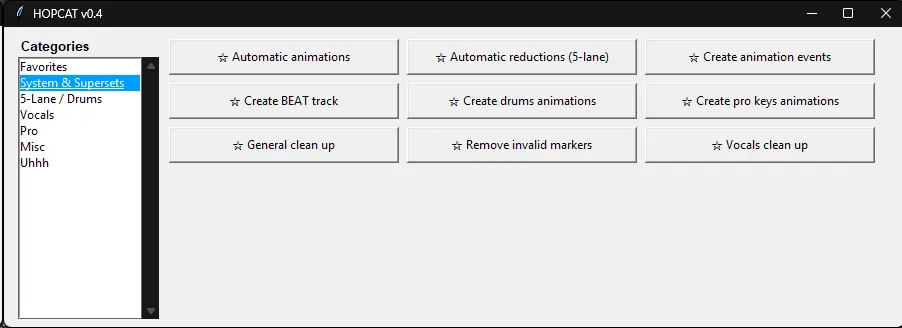
- F8 - [HOPCAT]: A cleaned up and updated version of CAT. This is a utility that does an astounding amount of things and helps with tedious tasks.
- SHIFT+F8 - [CAT [Legacy]]: An older version of CAT but ported to Python3. It’s similar to one above but offers some alternative options, like CARV.

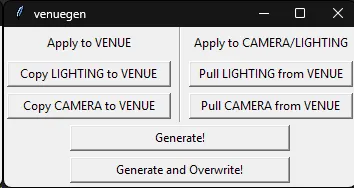
- F9 - [VenueGen]: Avoid the headache having to make events with clunky events. Make them with notes!
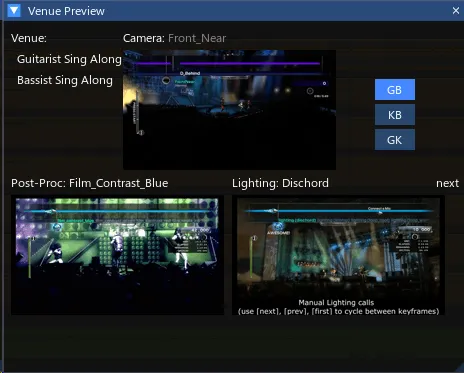
- F10 - [VenuePreview]: Get a very good estimate of what your venue looks like. Check how your post-procs, lighting, and camera choices are. Also shows Guitar/Bass, Guitar/Keys, and Bass/Keys variants.
Common Shorcuts
Section titled “Common Shorcuts”Learn these to quickly move around REAPER.
Main Workspace
Section titled “Main Workspace”| Key | Action |
|---|---|
| Spacebar | Play/Pause (cursor will remain where it is stopped) |
| CTRL+Spacebar | Play/Stop (cursor will return to where it began playing) |
| Enter/Return | Play from beginning of project |
| Right Click Drag | Select box |
| SHIFT+Mousewheel | Scroll horizontally |
| CTRL+Mousewheel | Zooms vertically |
| ALT+Mousewheel | Zooms horizontally |
| CTRL+Right Arrow | Moves cursor right one grid unit |
| CTRL+Left Arrow | Moves cursor left one grid unit |
| Up Arrow | Move selected audio up a track |
| Down Arrow | Move selected audio down one track |
| Right Arrow | Move selected audio right one grid unit |
| Left Arrow | Move selected audio left one grid unit |
| SHIFT+Left | Move cursor left, creating time selection |
| SHIFT+Right | Move cursor right creating time selection |
| L | Move cursor to left of selected |
| CTRL+Left Drag | Copy/Drag Selected |
| Tab | Skips to the next transient in selected clip. This moves the edit cursor to the next transient, which is a short sound with a loud attack, such as a snare or a kick drum. If the song has a kick on the first beat of every measure, you can combine this with Q and tempo map extremely quickly. |
| SHIFT+Tab | Move cursor to previous transient in selected object |
| ALT+SHIFT+C | Create measure from time selection (detects tempo) |
| Q | Sets tempo by measure depending on where your cursor is. Use this where the first beat of a measure should be to tempo map by measure.  |
| SHIFT+Q | Drag the closest grid line to the mouse cursor while holding |
| T | Set tempo by measure and change time signature |
| SHIFT+K | Makes a count off (1, 2, 1-2-3-4). You have to click on measure 2 before pressing this. Reminder to tempo map first then chart because the count in will shift everything right! |
| S | Splice audio at cursor |
| CTRL+ALT+E | Open selected item(s) in MIDI Editor |
MIDI Editor
Section titled “MIDI Editor”| Key | Action |
|---|---|
| ALT+Spacebar | Play from beginning of selected MIDI notes |
| Double Left Click | Writes single MIDI note the length of the smallest grid marker (i.e. grid set to 1/16, command will write 1/16 note) |
| Left Click Drag | Writes MIDI note |
| Right Click Drag | Select notes |
| Up Arrow | Move selected notes up a semitone |
| Down Arrow | Move selected notes up a semitone |
| Right Arrow | Move selected notes right one grid unit |
| Left Arrow | Move selected notes left one grid unit |
| NUMPAD 9 | Set note lengths to grid size. Helpful if you want to adjust lots of notes to a specific size, like shrinking down to 32nd notes |
| CTRL+SHIFT+A | Takes every note between the first and last selected note and makes their start times equidistant from each other, with the last note serving as an anchor. Helpful for sections where a part is played on a grid that REAPER doesn’t have easy access to. For example, if you have 15 notes instead of 16, you can select the 15 notes, use the shortcut, and the notes will move notes into a 1/15 grid |
| J | Joins selected notes |
| SHIFT+D | Delete double notes within selection |
| ALT+C | Copy selected notes down one octave/difficulty |
| SHIFT+C | Copy selected notes from Expert down to LH Animations |
| SHIFT+L | Import lyrics for selected notes from a .txt file |
| SHIFT+A | Align all text (lyric) events with selected notes |
| SHIFT+> | SHIFT all text (lyric) events forward one selected note |
| SHIFT+< | SHIFT all text (lyric) events back one selected note |
| SHIFT+Mousewheel | Scroll horizontally |
| CTRL+Mousewheel | Zooms vertically |
| ALT+Mousewheel | Zooms horizontally |
| CTRL+Right Arrow | Moves cursor right one grid unit |
| CTRL+Left Arrow | Moves cursor left one grid unit |
| L | Move cursor to left of selected |
| CTRL+Left Drag | Copy/Drag Selected |
| S | Splice note at cursor |
| ALT+SHIFT+S | Splits a long note along the current grid. Great for quickly creating things like 16th note patterns |
| ALT+N | Cycles through active MIDI Items. Use the eye icon to activate MIDI items.  |
| U | Create unison across active MIDI items |
| CTRL+SHIFT+Mouse scroll | Adjust note velocities. Extremely handy for Pro Guitar/Bass |
| ALT+SHIFT+4 | Sets selected notes to MIDI Channel 4 (Pro Guitar/Bass Mute) |
Other included plugins
Section titled “Other included plugins”These are some other plugins included in the template:
- [Chartchotic] - An open source and modernized replacement for RBN Preview. This one is cross-platform so Linux (and Mac) users can finally see what they’re charting.
There’s a lot of other cool features so make sure you explore this one!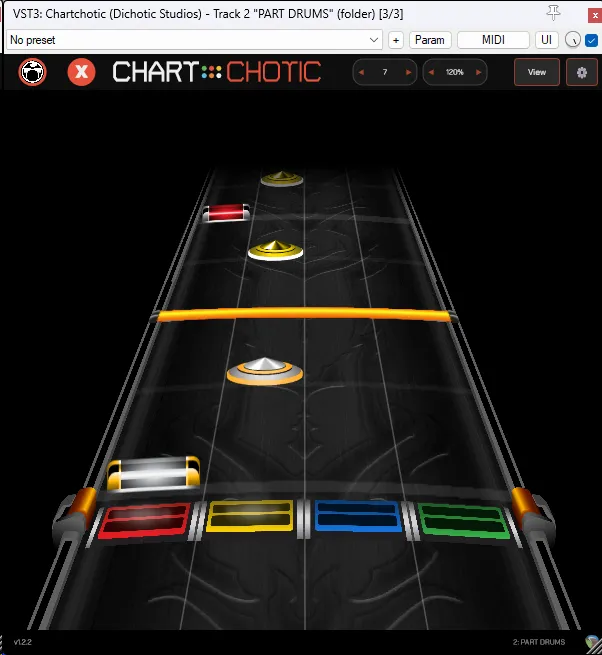
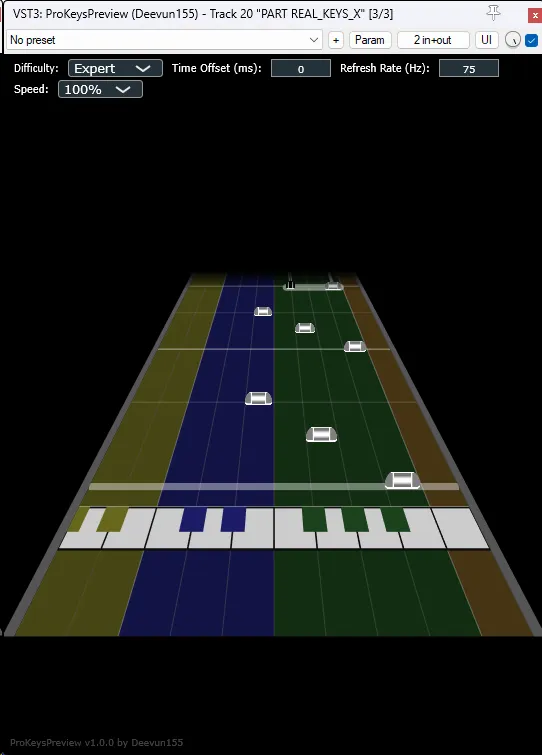
- [Pro Keys Preview] - A plugin to help see your Pro Keys charts. Very helpful to spot range limitations and shifts!