

Custom Configuration: Network
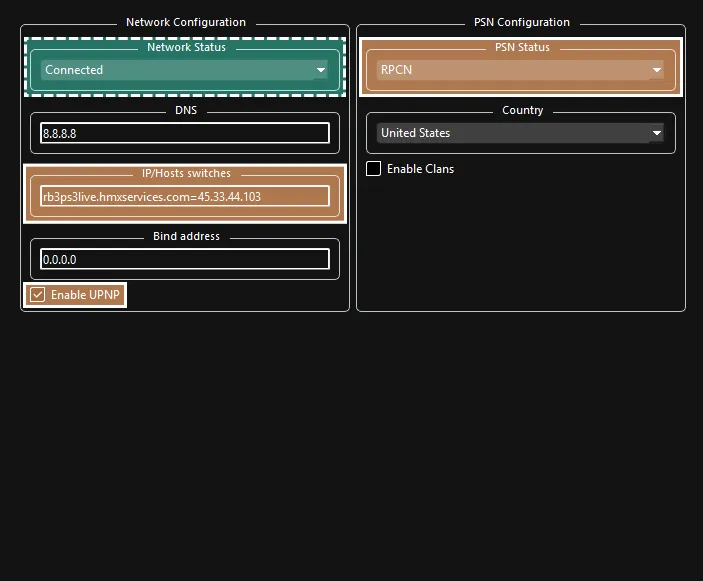
-
 REQUIRED:
- Change
Network StatustoConnected. - If left onDisconnected, the game will temporarily freeze when browsing the song library.
- Change
-
 For online multiplayer:
- To play Rock Band 3 online, add Rock Band Enhanced’s Server IP.
- Set
IP/Hosts switchestorb3ps3live.hmxservices.com=45.33.44.103. - Either tick
Enable UPNPor forward port 9103 (UDP) in your firewall. - This is necessary to play with more than 2 players.
- Set
- To play Rock Band 3 online, add Rock Band Enhanced’s Server IP.