

Custom Configuration: Advanced
-
 Depending on your computer:
- Change
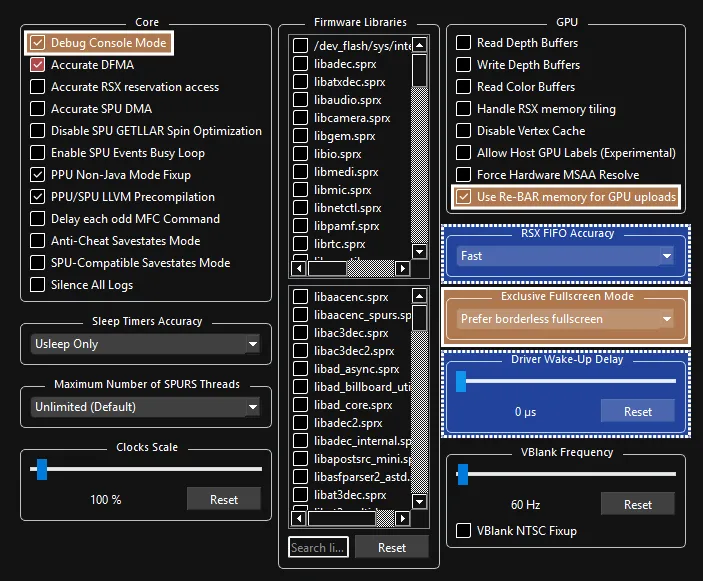
RSX FIFO AccuracytoFast- May help with latency but needs more testing. If you useFast, you must set aDriver Wake-up Delayto20µsor higher! - Set
Driver Wake-up Delayto20µsto avoid crashing after a few songs if usingFastRSX FIFO Accuracy. Increase it to40µsif the issue persists.
If it keeps happening, keep increasing it by increments of 20.
- Change
-
 Strongly Suggested:
- Enable
Debug Console Mode- This, along with Rock Band 3 Deluxe, will allow Rock Band 3 to have more memory. This means more songs (up to 16000) and increased stability.
Everyone should enable this! [Click here for more information.] - Change
Exclusive Fullscreen ModetoPrefer borderless fullscreento prevent potential crashes and audio desync when changing from Rock Band 3 to another program while in fullscreen. - Toggle
Use Re-BAR memory for GPU uploadsdepending on your graphics card. This can increase performance significantly if you have a Re-BAR compatible graphics card and Re-BAR is enabled in your BIOS. Check your graphics card and BIOS manuals for more information!
- Enable