

Discord Rich Presence
Want to show off to others what song you’re in or just want to share the love of Rock Band 3 Deluxe?
You can do this with the Rich Presence script made for Rock Band 3 Deluxe.
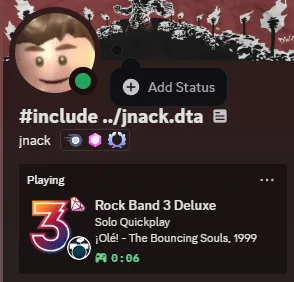
It is compatible with RPCS3, Xbox 360, and PS3!
-
First, we’re going to disable RPCS3’s presence because it will conflict and look weird.
Open up RPCS3 then click on theConfigbutton at the top.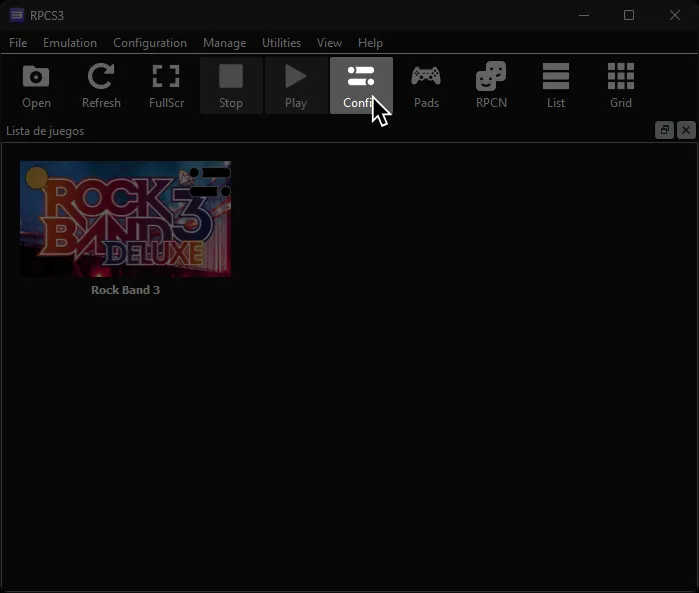
-
Under the
GUItab, disableUse Discord Rich Presence.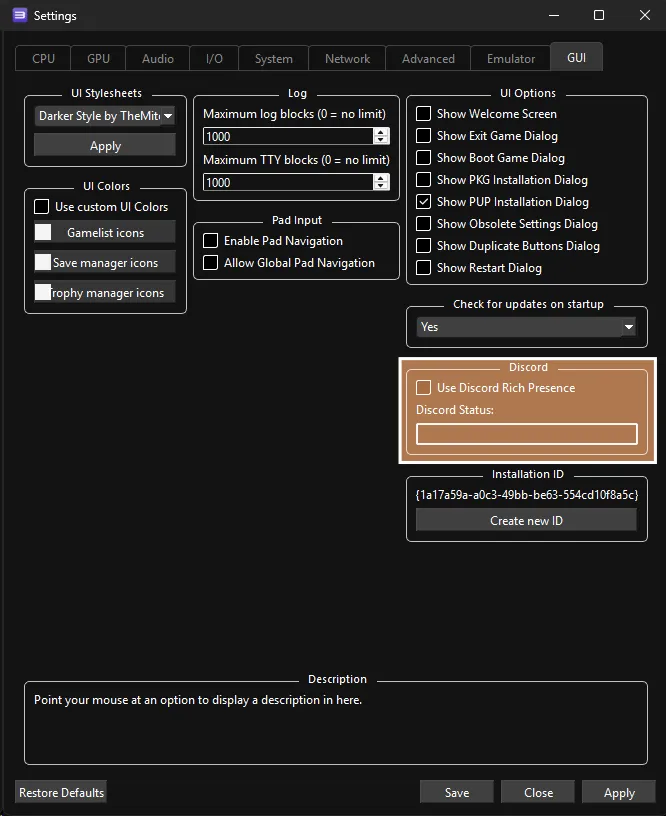
-
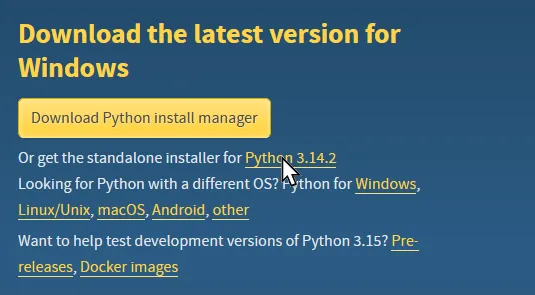
Now, you’ll need to download the latest version of [Python 3].
[Click here to go to the download page for Python 3].- It is suggested to install the standalone installer.
-
Once it finishes downloading, open the installer.
In the installer:- Activate
Add python.exe to PATH - Click
Install now
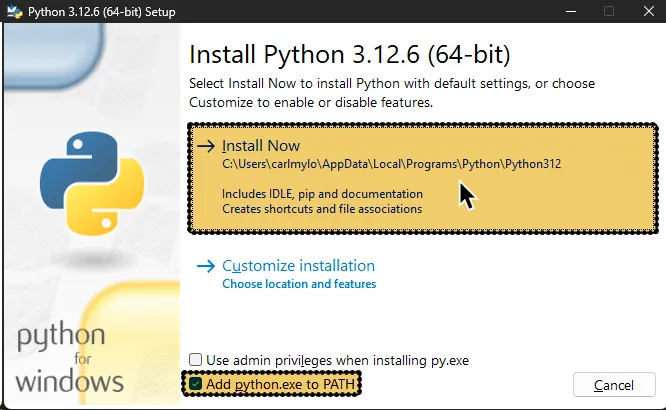
- Activate
-
After that finishes installing, you’ll need to download the
dx_discordrp.pyscript.
[Right click here and then ‘Save link as’ to downloaddx_discordrp.py]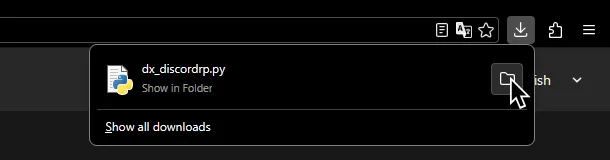
Put it in a folder of your preference.
Since you’ll need to launch this every time you want to do this, it should in an easy to reach spot. -
Go into the folder where you dropped the file.
In the address bar at the top of your file browser window, type incmdthen press the Enter key.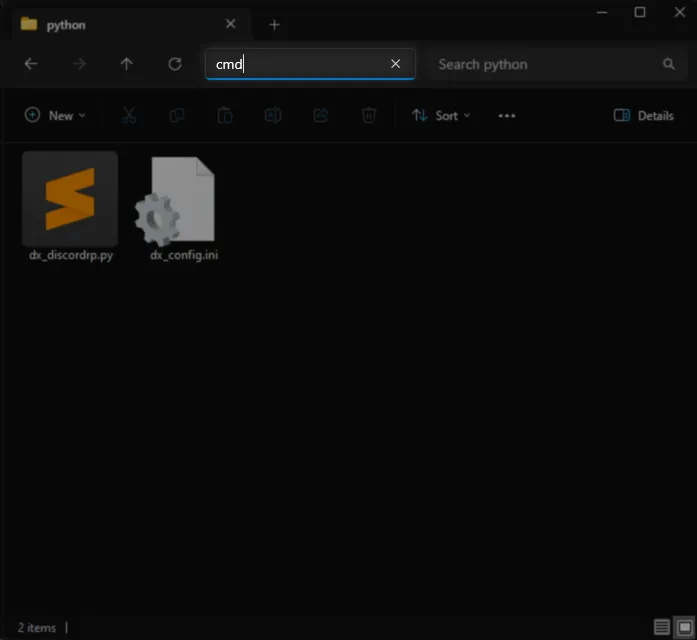
-
Once the command line window opens up, type in:
pip install requests pypresence pylast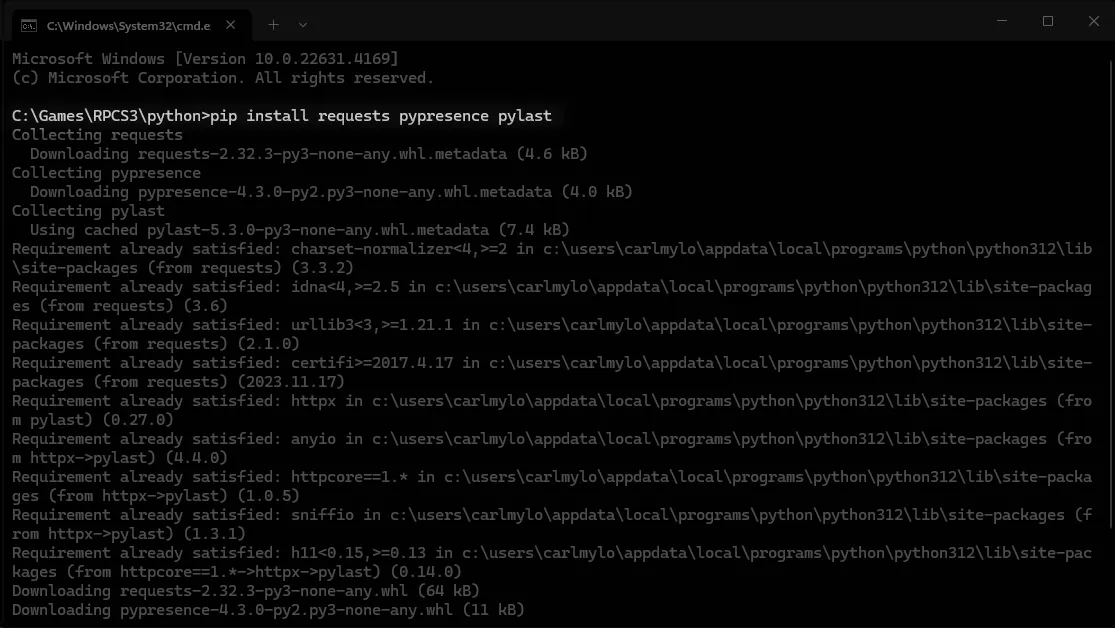
-
After it has successfully installed the dependencies, type in:
py dx_discordrp.py
into the command line and press the Enter key. -
It will ask you to setup a data path for RPCS3.
Type in1and press Enter.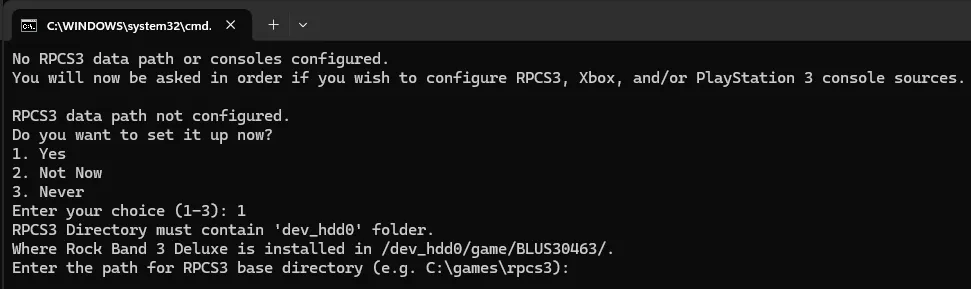
-
After that, you will be asked to enter the path to your RPCS3 installation.
Drag and drop the folder that containsdev_hdd0into the command window then press the Enter key.
This is usuallyC:\Games\RPCS3.
If there are quotes around the path, remove them!
-
You will be asked whether you want to set up Xbox 360 or PS3.
If you want to set those up, please check the other platform tabs.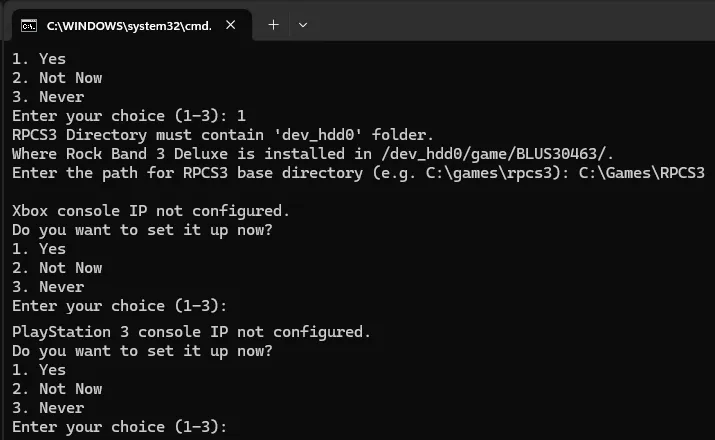
-
During the last step, you will be asked if you want to set up a Last.fm account.
Type in1and expand the section below if you want to set that up.
Otherwise, type in2to set it up later or3to never ask again.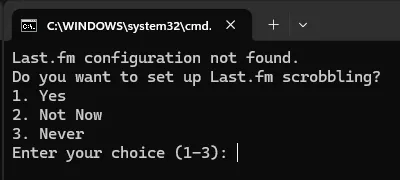
Scrobbling with Last.fm
Do you have a [Last.fm account] and want to use Rock Band 3 Deluxe to scrobble? You can do just that!-
Create an [API account on Last.fm].
Type in the required information, including email, application name, and application description.
You can name the application whatever you want and give it whatever description you want. When you’re done, click onSubmit.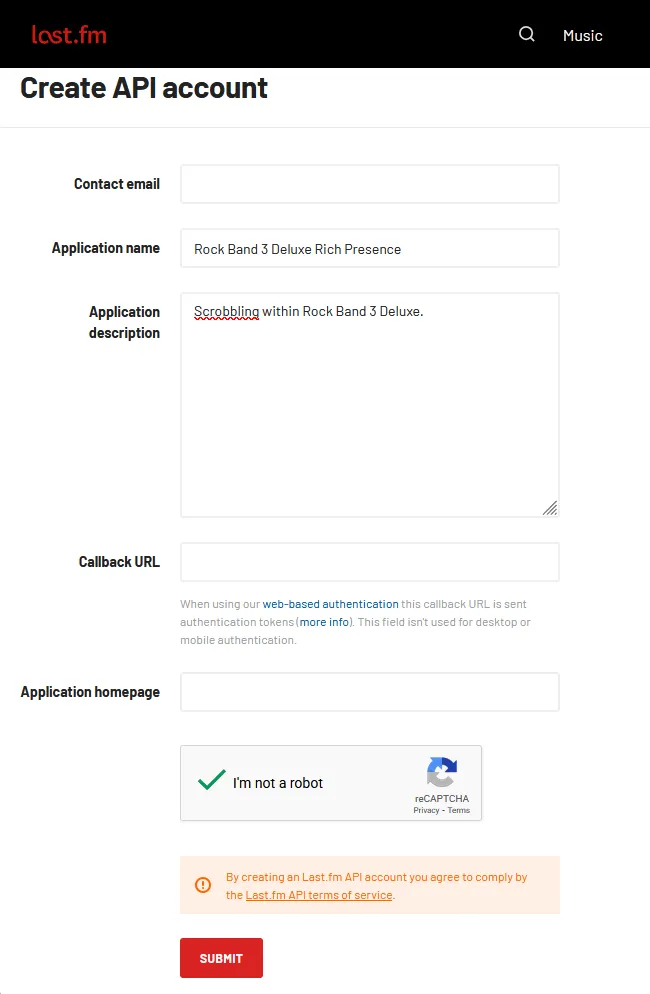
-
After submitting the information, you will be given an
API Keyand anAPI Secret.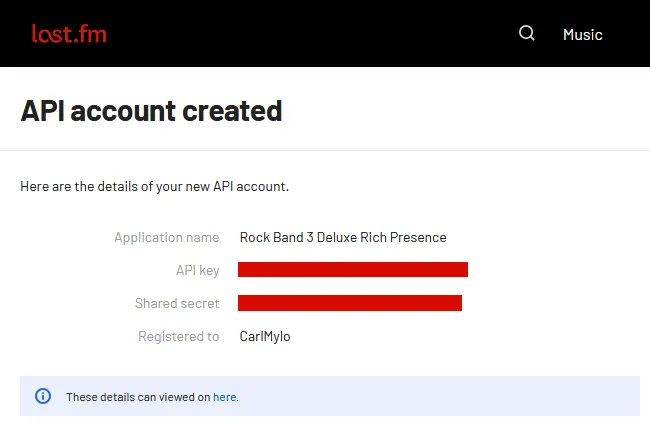
-
Copy those into the command prompt window.
You will also be asked for your Last.fm username and password.
Type those in as well.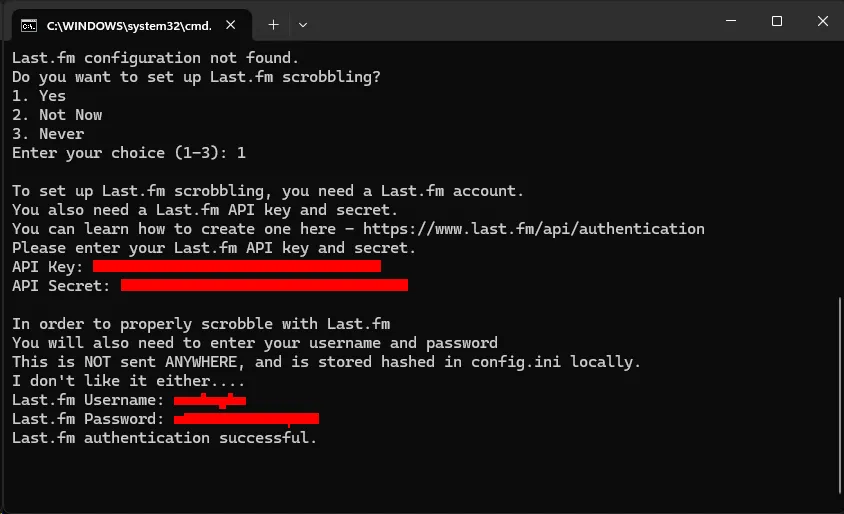
-
You’ll need to download the latest version of [Python 3].
[Click here to go to the download page for Python 3].- It is suggested to install the standalone installer.
-
Once it finishes downloading, open the installer.
In the installer:- Activate
Add python.exe to PATH - Click
Install now
- Activate
-
After that finishes installing, you’ll need to download the
dx_discordrp.pyscript.
[Right click here and then ‘Save link as’ to downloaddx_discordrp.py]
Put it in a folder of your preference.
Since you’ll need to launch this every time you want to do this, it should in an easy to reach spot. -
Go into the folder where you dropped the file.
In the address bar at the top of your file browser window, type incmdthen press the Enter key.
-
Once the command line window opens up, type in:
pip install requests pypresence pylast
-
After it has successfully installed the dependencies, type in:
py dx_discordrp.py
into the command line and press the Enter key. -
It will ask you to setup a data path for RPCS3 and for an Xbox console IP.
Set those up first or skip them.
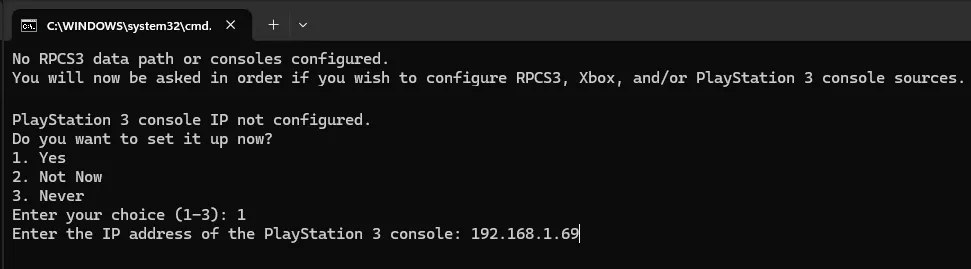
Type in1and press Enter when asked about setting up a PlayStation 3 console IP.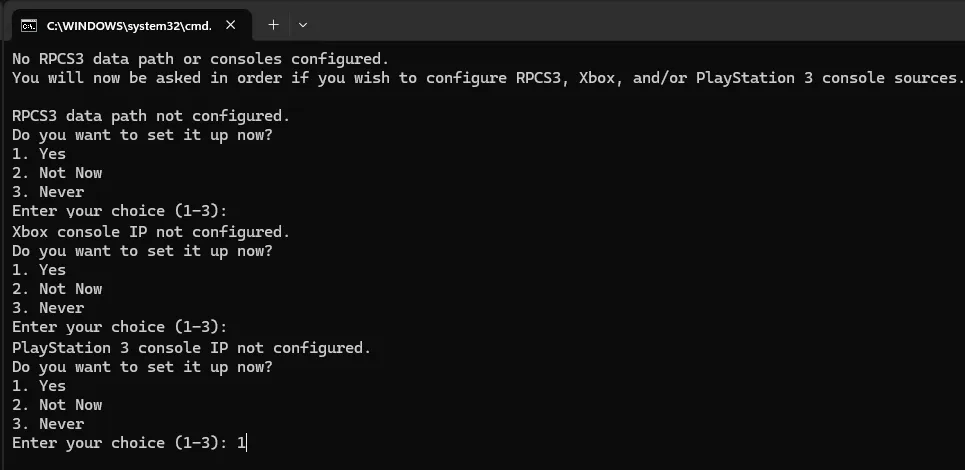
-
On the PlayStation 3, go to
[ Settings ]>[ Network Settings ]>[ Status and Connection Status List ].
Find the IP Address and make note of it.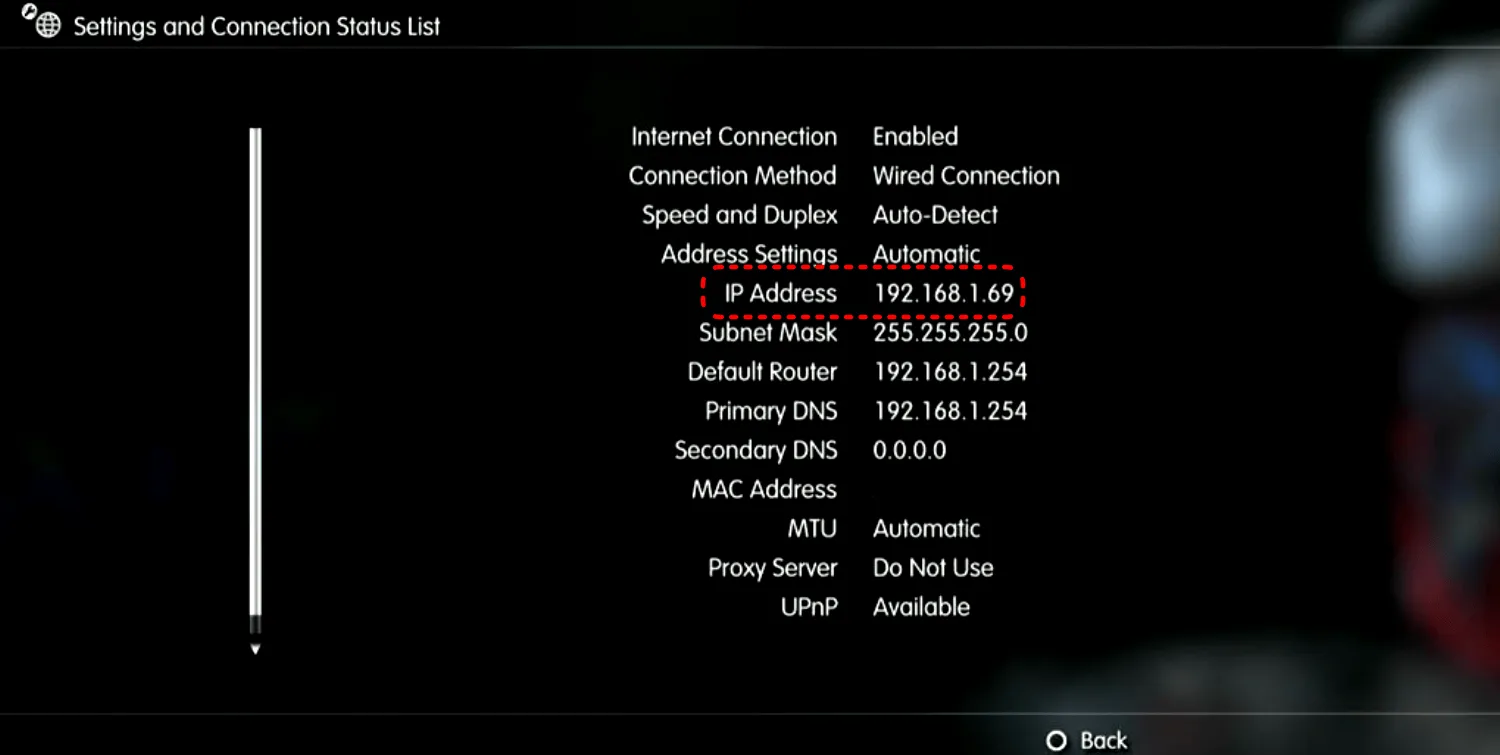
-
Back on your computer, type in your PlayStation 3’s IP address then press Enter.
-
During the last step, you will be asked if you want to set up a Last.fm account.
Type in1and expand the section below if you want to set that up.
Otherwise, type in2to set it up later or3to never ask again.
Scrobbling with Last.fm
Do you have a [Last.fm account] and want to use Rock Band 3 Deluxe to scrobble? You can do just that!-
Create an [API account on Last.fm].
Type in the required information, including email, application name, and application description.
You can name the application whatever you want and give it whatever description you want. When you’re done, click onSubmit.
-
After submitting the information, you will be given an
API Keyand anAPI Secret.
-
Copy those into the command prompt window.
You will also be asked for your Last.fm username and password.
Type those in as well.
Future Usage
Section titled “Future Usage”After the initial setup, you won’t have to set up anything when you open the file again.
All you have to do is double click the dx_discordrp.py file.
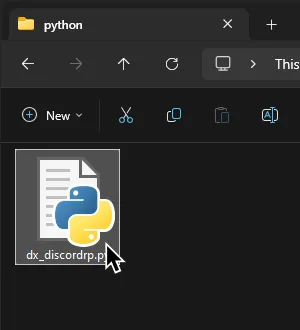
If you did everything right, it should show that it has connected to Discord RPC successfully and that it’s updating presence.
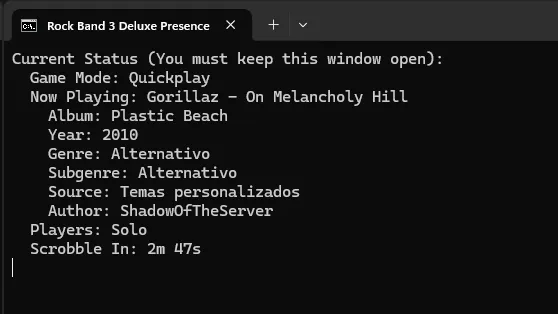
That’s it! Remember to close it out after you’re done and to open it back up when you want to play again.
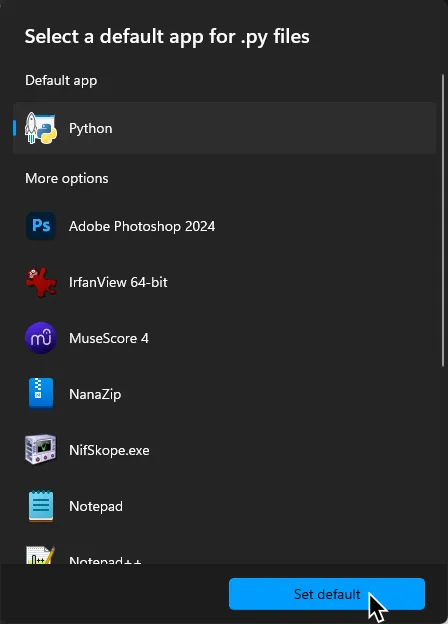
If it doesn’t open correctly, make sure that you’ve set Python as the default application for .py files.
If you’re on [the MiloHax Discord], you can use the !wrapped to get “Warped”/“Your Year in Review” stats!