

Nintendo Wii Rock Band 3 Fender Mustang Pro Guitar

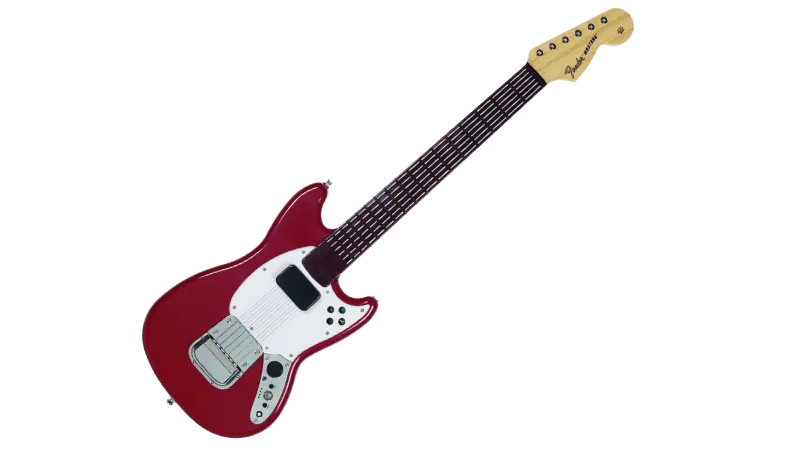
Instructions
Section titled “Instructions”There are two different ways to connect this Pro Guitar. Pick whichever is the most convenient for you:
This is the recommended method because the guitar will work as expected and will be wireless.
You will need:
-
a Santroller based adapter to connect to your computer.
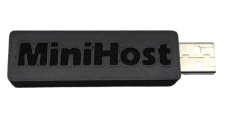 Need one?
 -
a Nintendo Wii Wireless Pro Guitar receiver to connect to the Santroller based adapter.
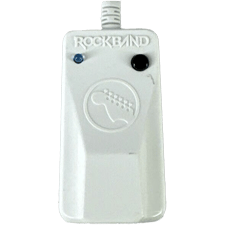
Connect the Nintendo Wii Wireless Pro Guitar receiver to your Santroller based adapter, then connect the Santroller based adapter to your computer.
Be sure to [download the latest version of Santroller].
After that, start up Santroller.
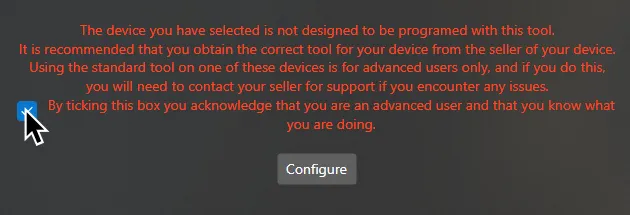
If you’re using a premade adapter (like the RetroCultMods MiniHost), you may receive a warning from Santroller in the start screen.
All this means is that you can’t ask for support on the official Santroller Discord.
You can tick the checkbox and focus on the rest of the configuration.
Select your Device to program, Connection Method, and Device to Emulate.
This will usually be Raspberry Pi Pico, USB Adapter, and Pro Keys respectively.
After selecting your options, click on Configure.
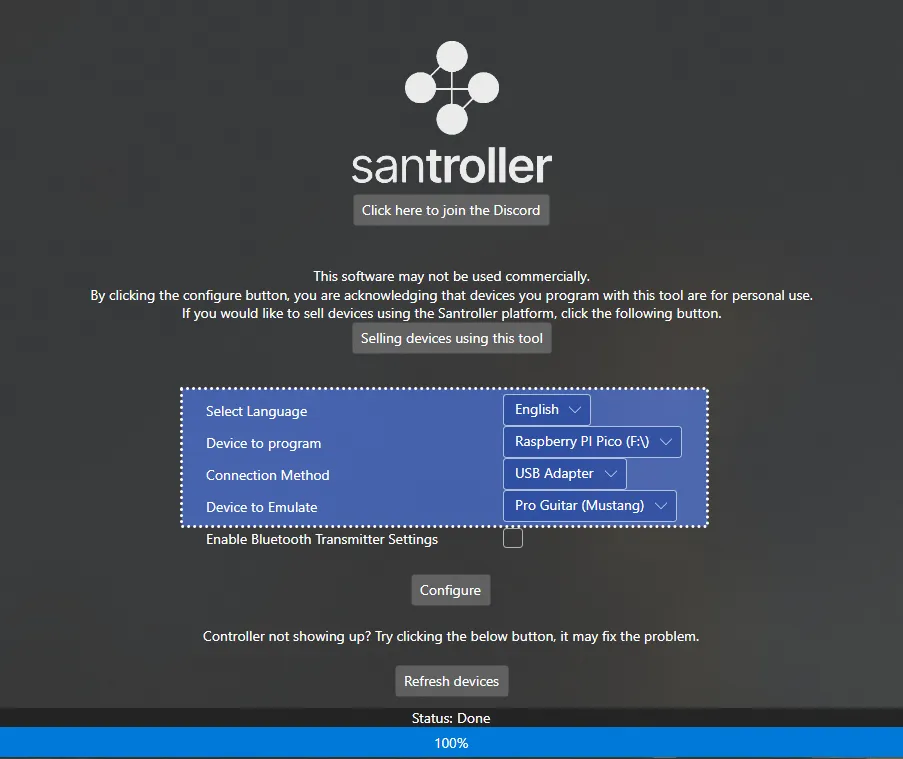
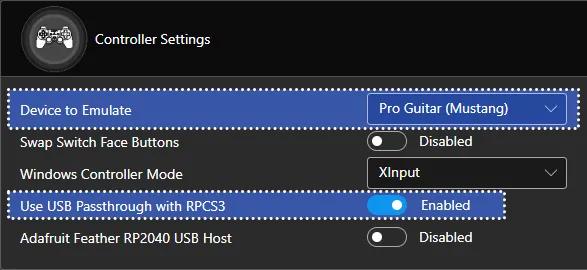
In Controller Settings, change the following:
- Set
Device to EmulatetoPro Keys - Enable
Use USB Passthrough with RPCS3
MAKE SURE YOU CLICK ON Save Settings before closing the program or you will lose progress!
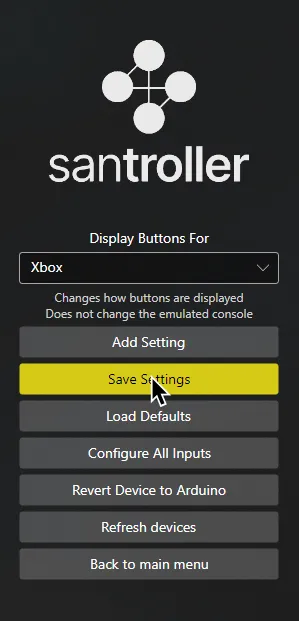
When you’re done, close Santroller.
You can now launch Rock Band 3 and don’t need to touch this anymore!
SYSEX Notice
Section titled “SYSEX Notice”| Verified MIDI to USB interfaces |
|---|
| CME C2MIDI Pro |
| CME U2MIDI Pro |
| Focusrite Scarlett (4i4 and higher) [3rd Gen] |
| M-Audio Midisport Uno |
| MOTU M2/M4 |
| Roland UM-ONE mk2 |
| SSL +2 MKII |
Instructions
Section titled “Instructions”Since you can’t use the dongle, you will need to connect Rock Band 3 Pro Guitar via the MIDI port on the bottom.
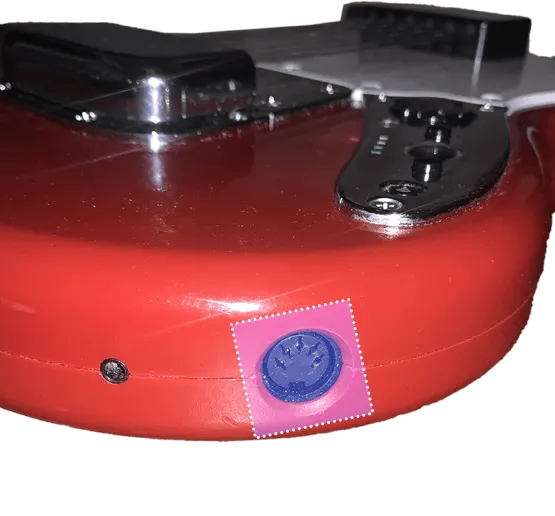
For this, you will need a MIDI to USB interface.
Here’s an example of a MIDI to USB interface. Most will come with an LED indicator to show activity. To check that you’ve plugged it in correctly, you should see “MIDI In” blinking when you press a key.
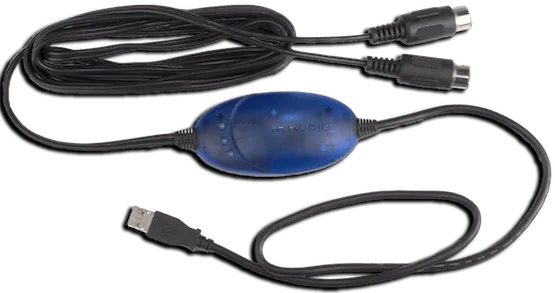
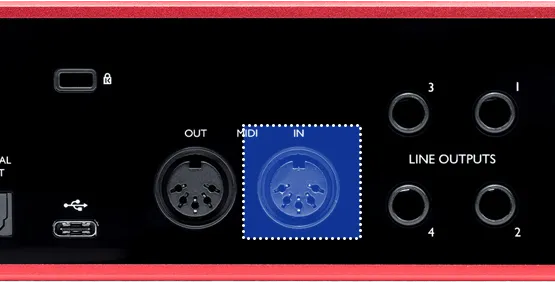
If you have an audio interface, you may already have a way to plug in MIDI to your computer, as some audio interfaces come with MIDI inputs. For example, this Scarlett has MIDI connections in the back.
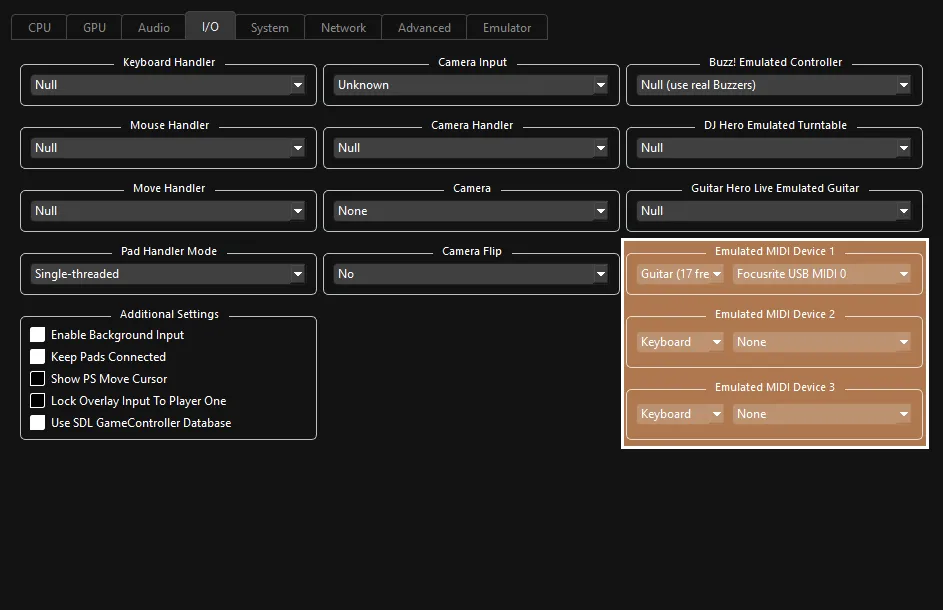
After that, right click on Rock Band 3 in RPCS3, then click on Change Custom Configuration.
 :
:
- 🎸 Change your
Emulated MIDI typefromKeyboardtoGuitar (17 Frets)if you have a Mustang Pro Guitar, orGuitar (22 Frets)if you have a Squier Pro Guitar, then select your MIDI to USB interface in the drop-down menu next to it.
- 🎸 Change your
Research by [Linos]
Santroller screenshots by [gonakil1ya]
Implementation by [Dark]