

Rock Band 3 MIDI Pro Guitars

SYSEX Notice
Section titled “SYSEX Notice”Consult your MIDI to USB interface’s manual or manufacturer for more details.
| Verified MIDI to USB interfaces |
|---|
| CME C2MIDI Pro |
| CME U2MIDI Pro |
| Focusrite Scarlett (4i4 and higher) [3rd Gen] |
| M-Audio Midisport Uno |
| MOTU M2/M4 |
| Roland UM-ONE mk2 |
| SSL +2 MKII |
Instructions
Section titled “Instructions”To connect your Rock Band 3 Pro Guitar, you will need to connect to the MIDI port on the bottom.
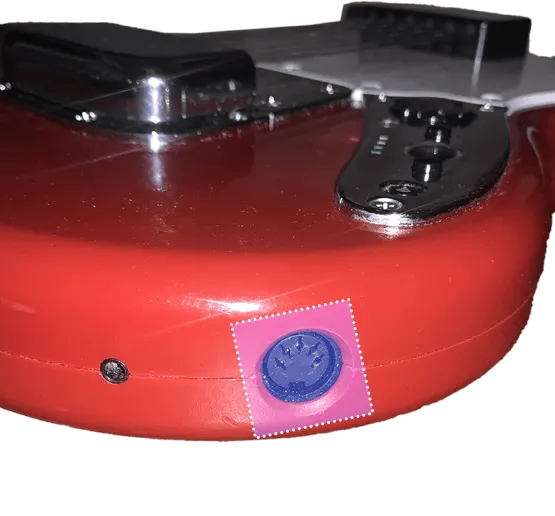
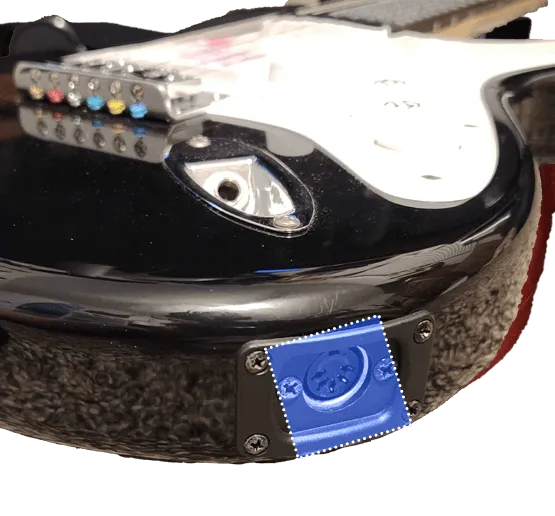
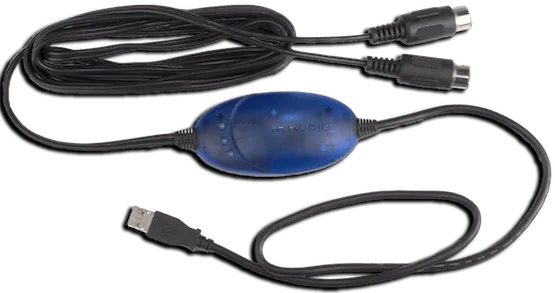
For this, you will need a MIDI to USB interface.
Here’s an example of a MIDI to USB interface. Most will come with an LED indicator to show activity. To check that you’ve plugged it in correctly, you should see “MIDI In” blinking when you press a key.
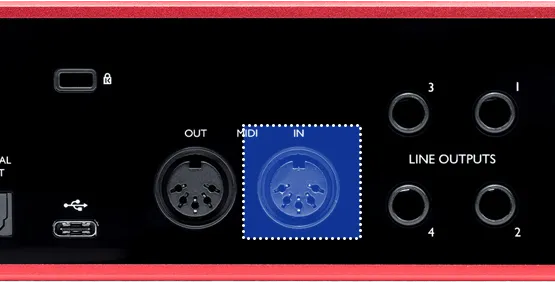
If you have an audio interface, you may already have a way to plug in MIDI to your computer, as some audio interfaces come with MIDI inputs. For example, this Scarlett has MIDI connections in the back.
After that, right click on Rock Band 3 in RPCS3, then click on Change Custom Configuration.
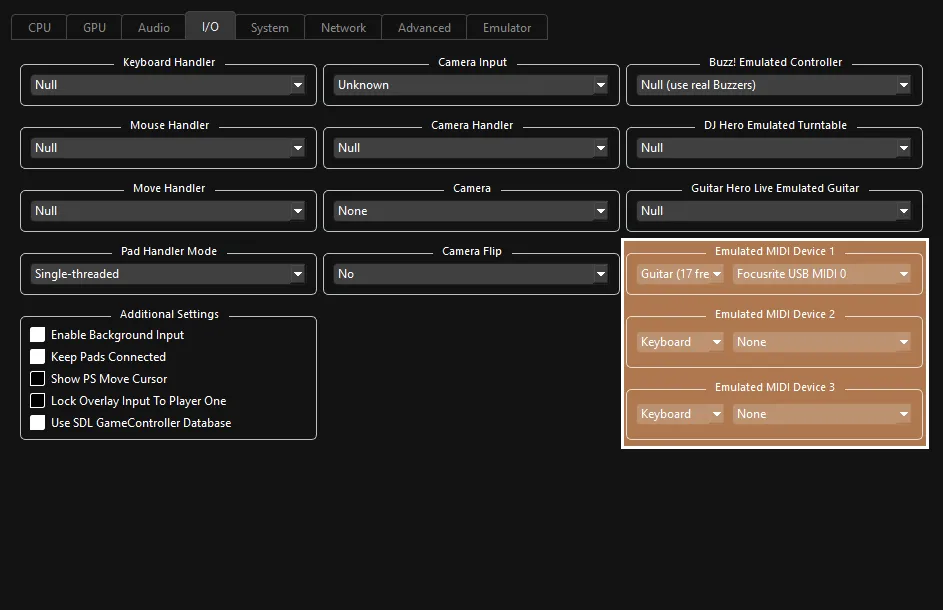
 :
:
- 🎸 Change your
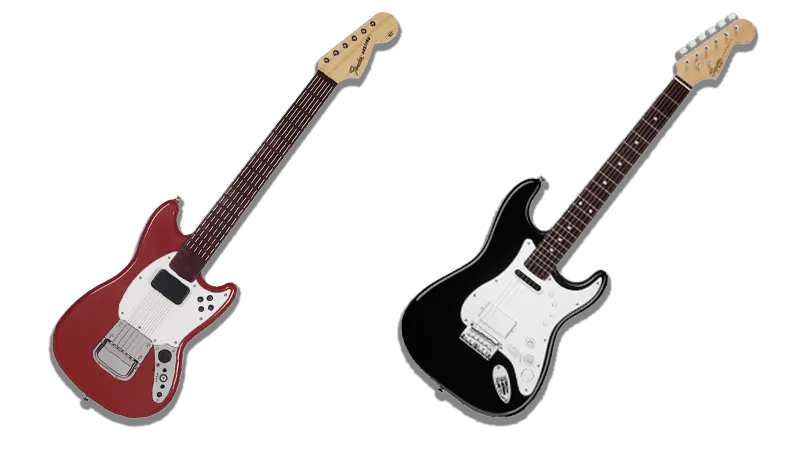
Emulated MIDI typefromKeyboardtoGuitar (17 Frets)if you have a Mustang Pro Guitar, orGuitar (22 Frets)if you have a Squier Pro Guitar, then select your MIDI to USB interface in the drop-down menu next to it.
- 🎸 Change your
Implementation by [Dark]