

PlayStation 2 DualShock 2
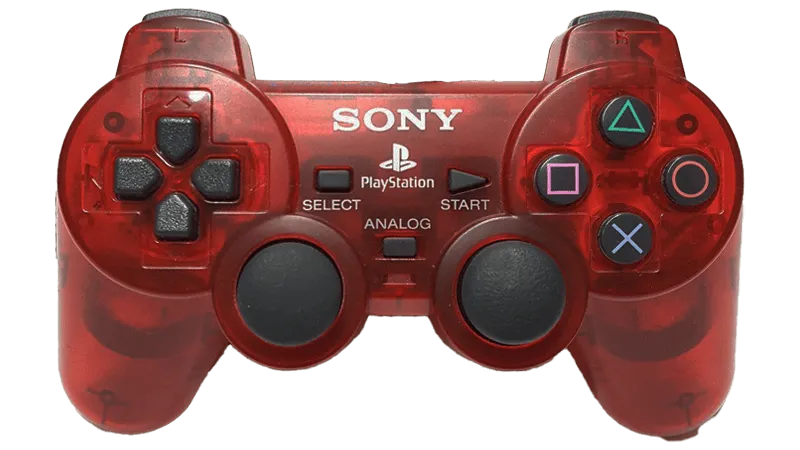
- There is no binding file as it varies too much per computer.
- This has only been verified to work with an OSTENT PS1 PS2 To PC USB 2.0 Controller Adapter Converter For Sony PS2 Wired Controller (Model Number/SKU: 014800)
- It is strongly recommended to get another adapter instead.
- Get one [from RetroCultMods].
- Get a [Blue Indigo].
- This controller auto-strums like god intended.
- To play Guitar/Bass/Keys/Drums parts on a Controller (Padtar), you will need Rock Band 3 Deluxe.
- You can also rebind your controller within Deluxe.
Menu > Options > Deluxe Settings > Advanced > Controller > Pad Button Remap
- You can also rebind your controller within Deluxe.
How do I set my gamepad up?
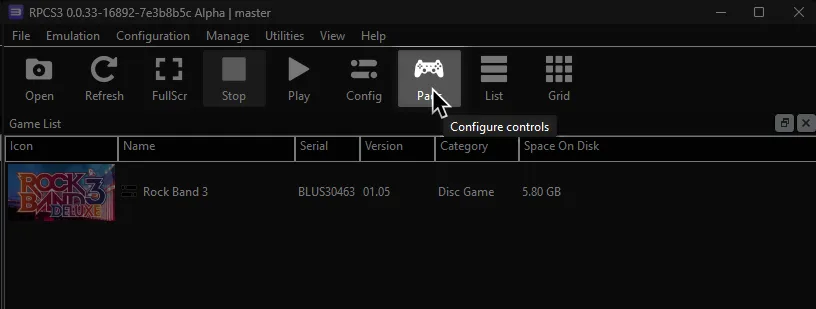
Click on the Pads icon at the top of RPCS3.
Follow the instructions and/or match the assignments below.
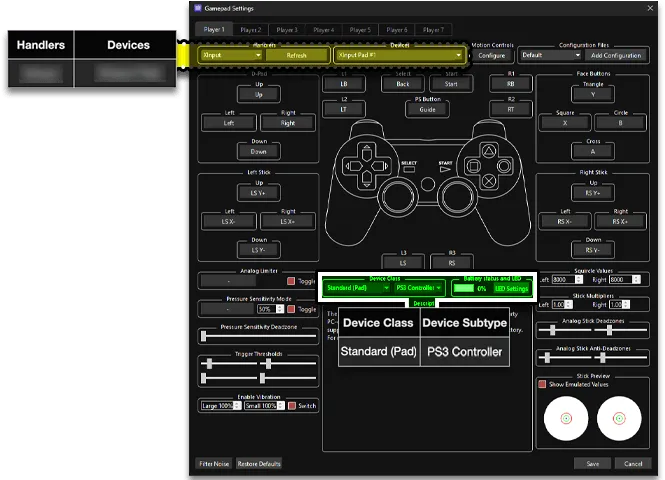
Pad Information
Section titled “Pad Information”| Handlers | Devices |
|---|---|
| MMJoystick | Joystick |
| Device Class | Device Subtype |
|---|---|
| Standard (Pad) | PS3 Controller |
Default Guitars/Bass/Keys
Section titled “Default Guitars/Bass/Keys”| PlayStation (DS2) | Rock Band |
|---|---|
 |  |
 |  |
 |  |
 |  |
 |  |
 |  |
 | Overdrive |
Default Drums
Section titled “Default Drums”| PlayStation (DS2) | Rock Band |
|---|---|
|  |
|  |
|  |
|  |
|  |
Vocals
Section titled “Vocals”| PlayStation (DS2) | Use | Alt Use |
|---|---|---|
| Navigation | |
 | Navigation | |
| Select | |
 | Back | Mic 3 Volume (Song) |
 | Mic 1 Volume (Song) | |
 | View More Info (Library) | Mic 2 Volume (Song) |
 | Options | Pause (Song) |
| Filters (Library) | Overdrive (Song) |
| Guide Part Selection (Practice) | |
| Voice Chat | Vocal Part Selection (Practice) |
| Vocal Track Volume (Song) | |
| Pitch Correction (Song) |