

Xbox 360 Guitar Hero Xplorer

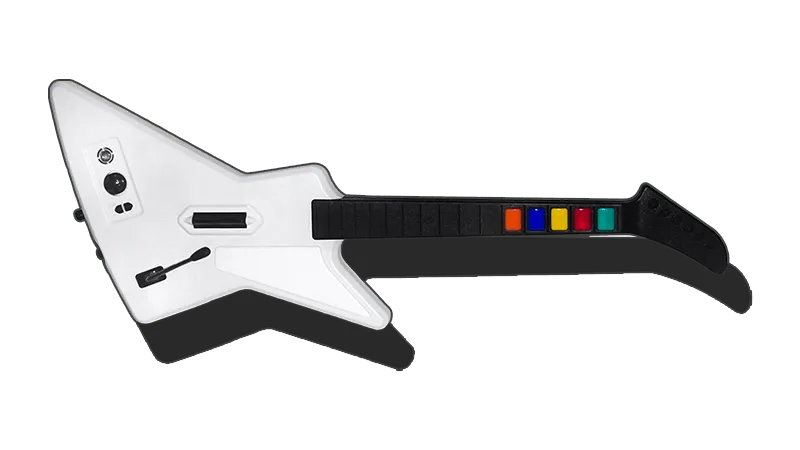
- This controller requires advanced configuration.
- Looking to mod your guitar?
- You can get the [RetroCultMods Revival Kit].
- You can get the [PhunkyCustoms Solderless RGB GH Controller Mod Kit].
How do I map my guitar?
Click on the Pads icon at the top of RPCS3.
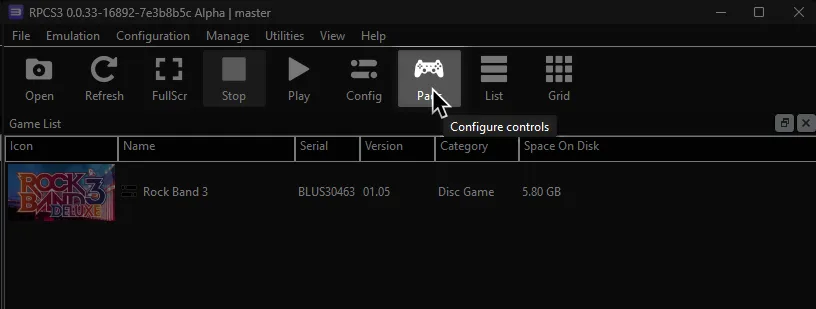
It’s suggested to create a new configuration by clicking Add Configuration at the top right of the Pads window.
This is so you can change configuration profiles in case you want to play other games.
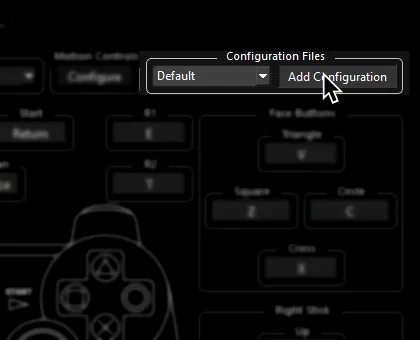
Follow the instructions and/or match the assignments below.
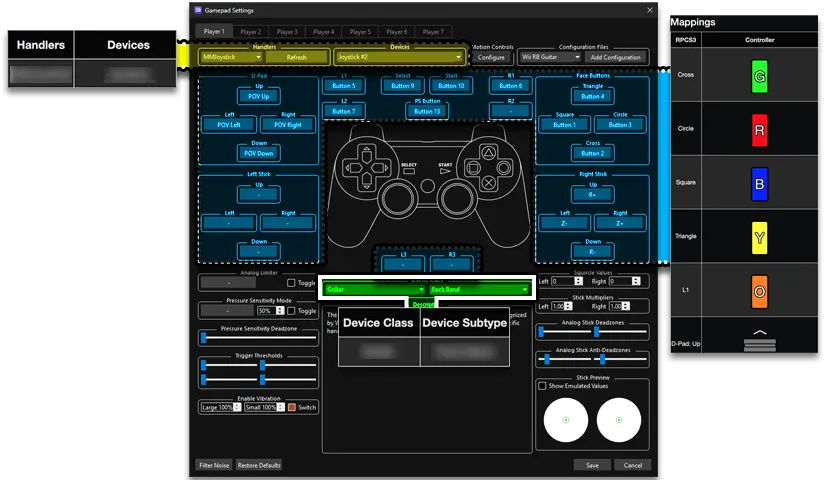
Pad Information
Section titled “Pad Information”| Handlers | Devices |
|---|---|
| MMJoystick | Joystick |
| Device Class | Device Subtype |
|---|---|
| Guitar | Rock Band |
Initial Setup
Section titled “Initial Setup”- For the best experience:
-
Go to the Start menu and look for
Set up USB game controllers, then open it.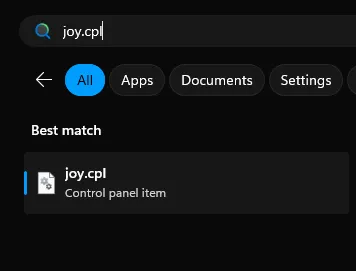
-
Select
Guitar Hero X-plorerthen click onProperties.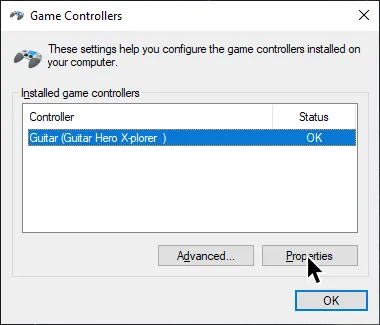
-
Go to the
Settingstab.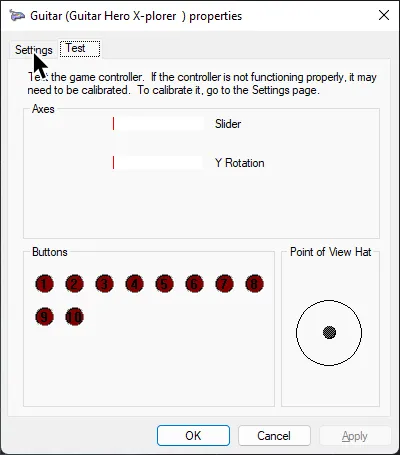
-
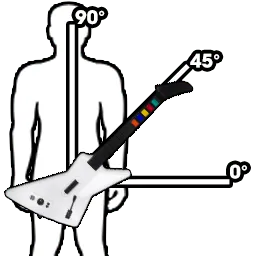
Hold the guitar at a 45 degree angle. This is halfway between a neck at level and full tilt.
-
While holding the guitar at this angle, click
Calibrate.
-
Click
Nexton the D-Pad screen with no buttons held.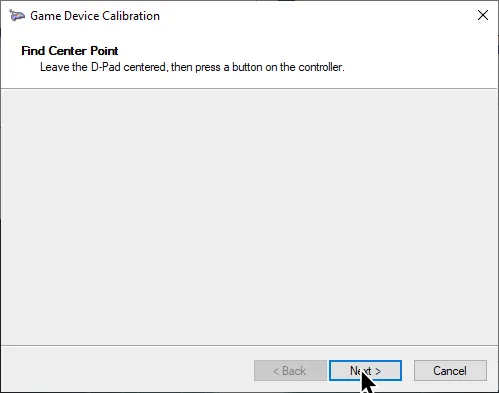
-
On the next screen, press the whammy all the way in then release it, then click
Next.
-
On the next screen, move the guitar to full tilt position and then click
Next.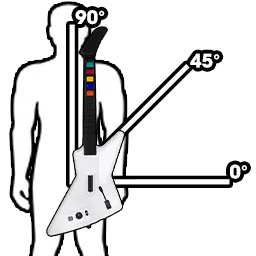

-
After that, click on
Finish.
Mappings
Section titled “Mappings”-
Set the deadzones for left and right sticks to the lowest possible level.
-
UNMAP THE FOLLOWING:
- Use Right Click to unmap a button.
| RPCS3 | Guitar |
|---|---|
| L2 | Solo Modifier |
| Right Stick: Up | Effects Selector |
- Map the following:
| RPCS3 | Guitar |
|---|---|
| Cross | 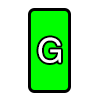 |
| Circle |  |
| Square | 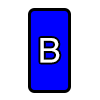 |
| Triangle | 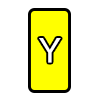 |
| L1 |  |
| D-Pad: Up | 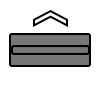 |
| D-Pad: Down |  |
| D-Pad: Left | 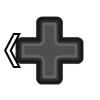 |
| D-Pad: Right |  |
| Right Stick: Left/Right | 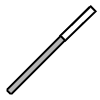 |
| Right Stick: Down |  |
| R1 |  |
| Start |  |
| Select |  |
| PS Button |  |
Profile
Section titled “Profile”How do I use profiles?
After downloading the profile,
- Extract the .7z file.
- Drag the
input_configsfolder into theconfigsfolder where you have RPCS3 in.

- After that, you can select the profile in the “Pads” menu.
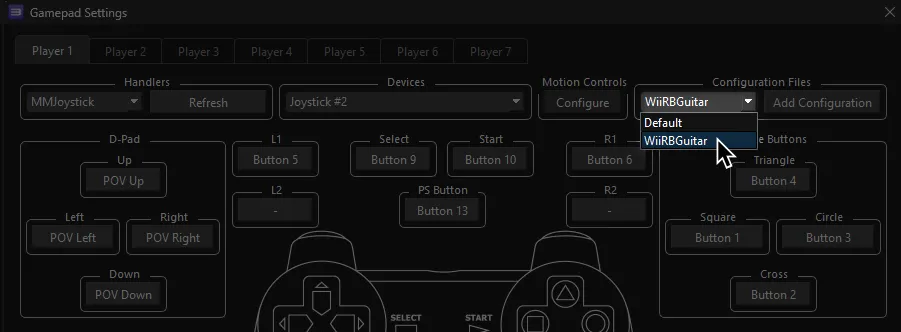
Most of the time, these controller profiles should work out of the box. If they don’t, try changing the controller listed in Devices, next to the Refresh button until it receives an input. You can edit this while the game is running.
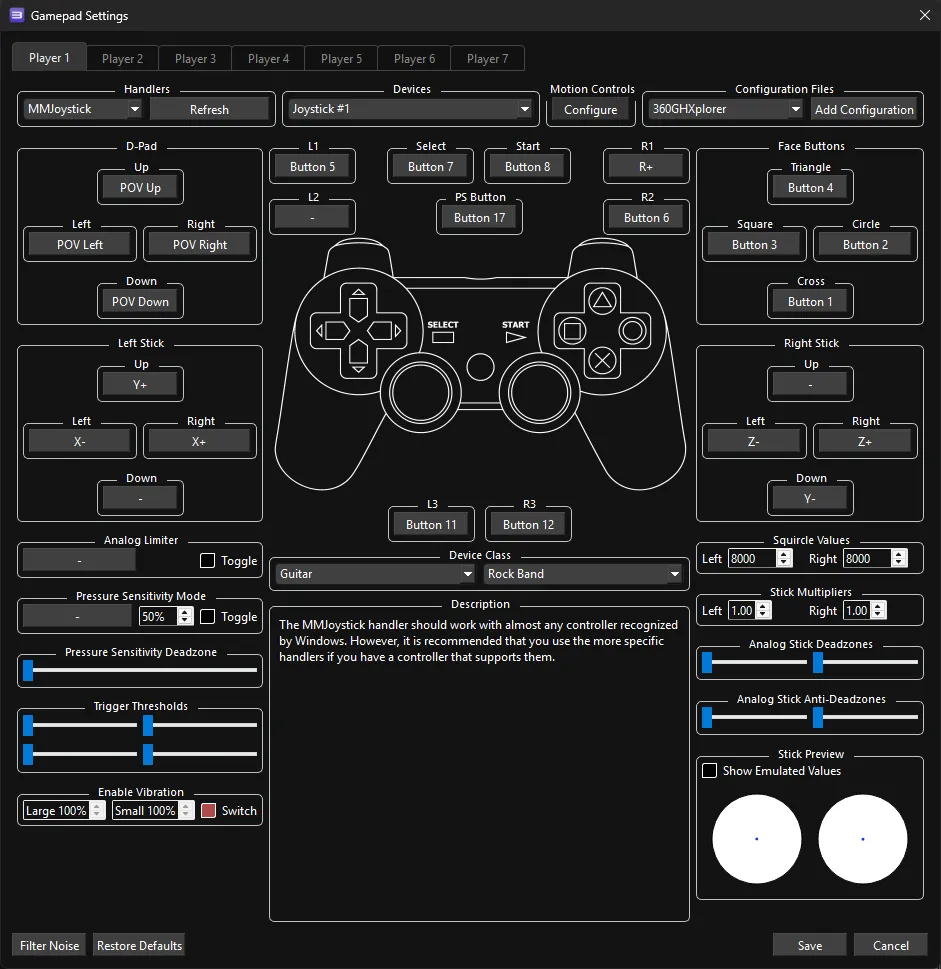
Mapped by [Jnack] and [KrazzyKlown]
Screenshots by [Ashun]