

Santroller Powered Guitars

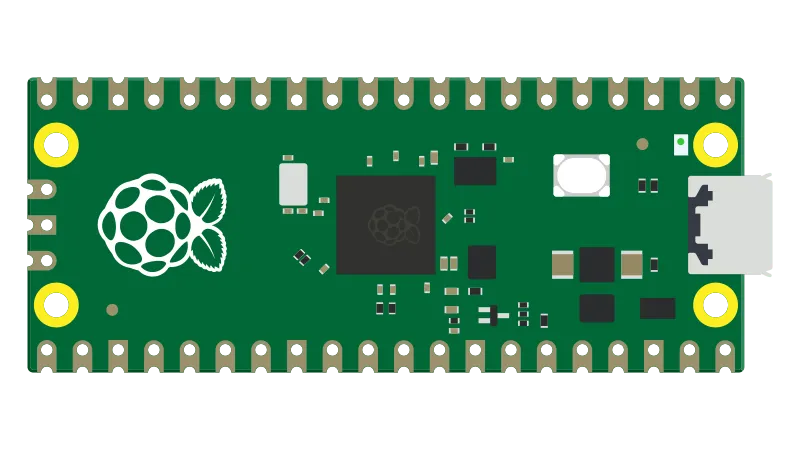
- Please note that your Santroller Configurator may have different settings, depending on how your guitar was modded. If you purchased your guitar pre-modded, contact the seller for more information.
If you haven’t initialized your controller yet, start up Santroller.
Be sure to [download the latest version of Santroller].
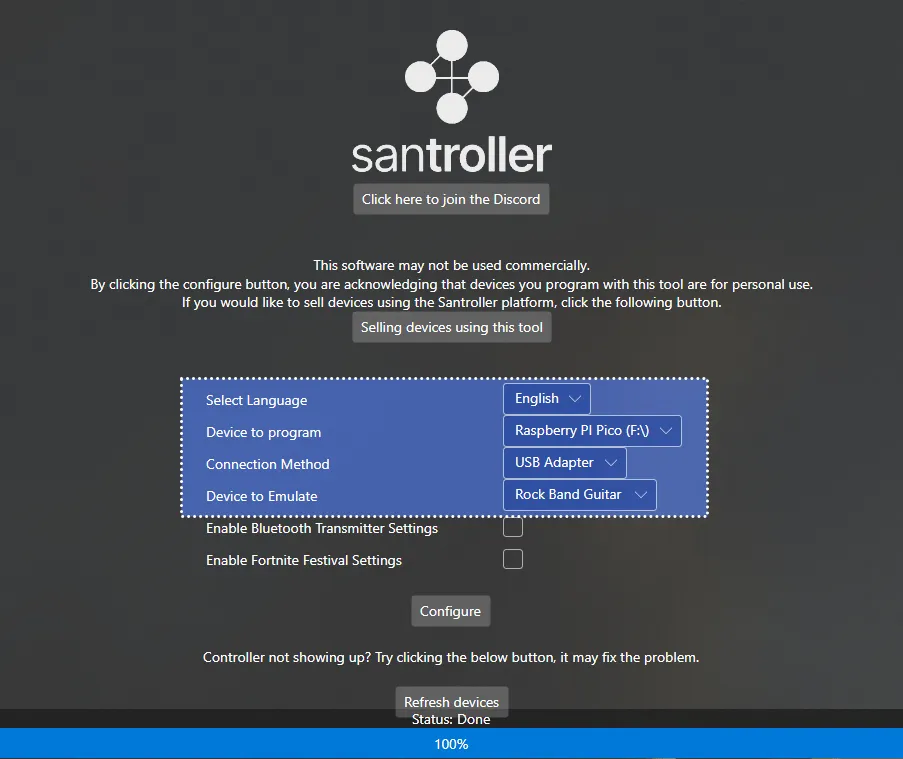
In the start screen, select your Device to program, Connection Method, and Device to Emulate. This will depend on what device you’re using for your guitar. In the tutorial screenshots, it was a Raspberry Pi Pico, USB Adapter, and Rock Band Guitar respectively.
After selecting your options, click on Configure.
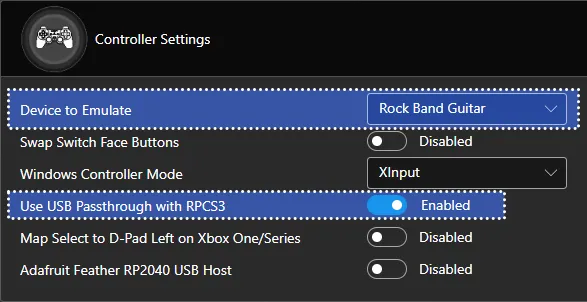
In Controller Settings, change the following:
- Set
Device to EmulatetoRock Band Guitar - Enable
Use USB Passthrough with RPCS3
It’s also suggested you calibrate your Whammy to have the best experience. Scroll down to the Whammy section and calibrate it.
MAKE SURE YOU CLICK ON Save Settings before closing the program or you will lose progress!
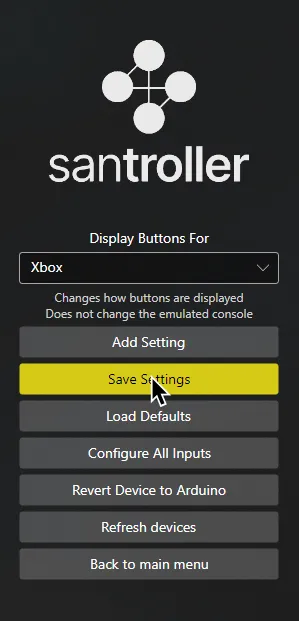
When you’re done, close Santroller.
You can now launch Rock Band 3!
Research by [Lynxeption], [gonakil1ya], and [SquidBoy425 (Team Oceanman)].
Special thanks to [@amphobius] for additional pictures.