

Xbox One Rock Band 4 Drums

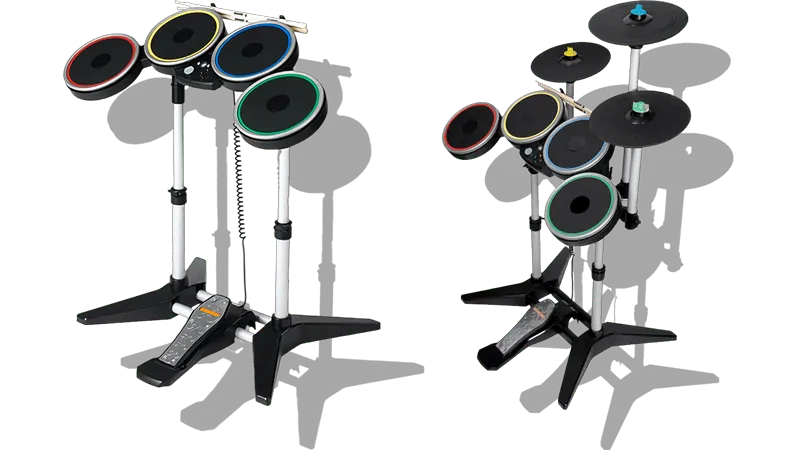
- Requires installing and running [RB4InstrumentMapper] along with its dependencies.
- Linux users can install [
xonekernel drivers] to use Xbox One peripherals. - You need a Microsoft Xbox Wireless Adapter to connect these drums to your computer.
- Works with or without the Pro Cymbal expansions.
- Make sure to configure which cymbals are connected within Rock Band 3.
Menu > Options > Drum Options
- Make sure to configure which cymbals are connected within Rock Band 3.
How do I map my drums?
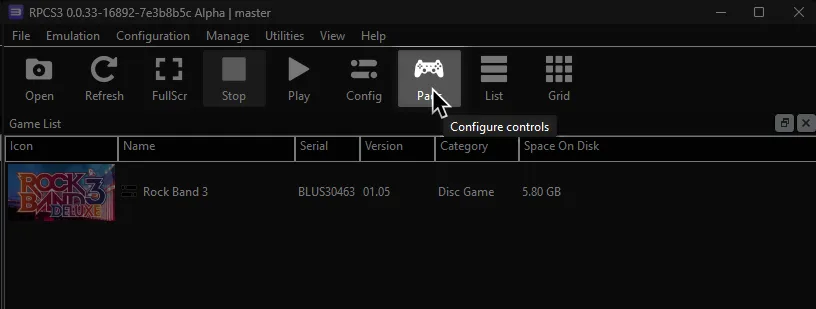
Click on the Pads icon at the top of RPCS3.
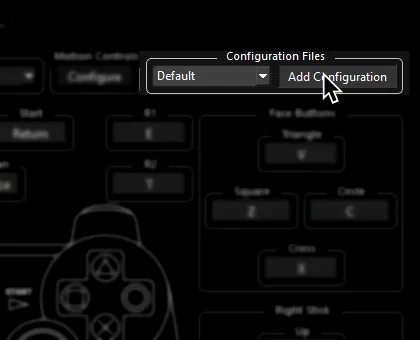
It’s suggested to create a new configuration by clicking Add Configuration at the top right of the Pads window.
This is so you can change configuration profiles in case you want to play other games.
Follow the instructions and/or match the assignments below.
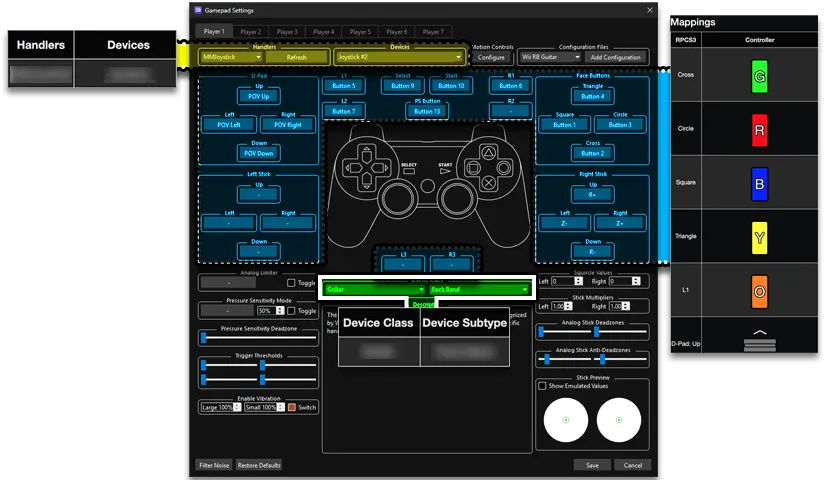
Pad Information
Section titled “Pad Information”| Handlers | Devices |
|---|---|
| XInput | XInput Pad |
| Device Class | Device Subtype |
|---|---|
| Drums | Rock Band Pro |
Additional Setup
Section titled “Additional Setup”Please refer to RB4InstrumentMapper’s documentation.
[Click here to go there].
Having issues with your Xbox One instrument?
- Go to
Start>Settings>Apps>Installed apps - Look for
Microsoft GameInputand uninstall the latest version.
Please note that it may reinstall itself after a reboot. We are looking for better solutions.

Mapping
Section titled “Mapping”Controller Emulation Mode: ViGEmBus (RPCS3 compatibility)
Section titled “Controller Emulation Mode: ViGEmBus (RPCS3 compatibility)”This is the recommended mode and should not require any mapping. You simply need to assign the Handler, Device, and Device Class/Type.
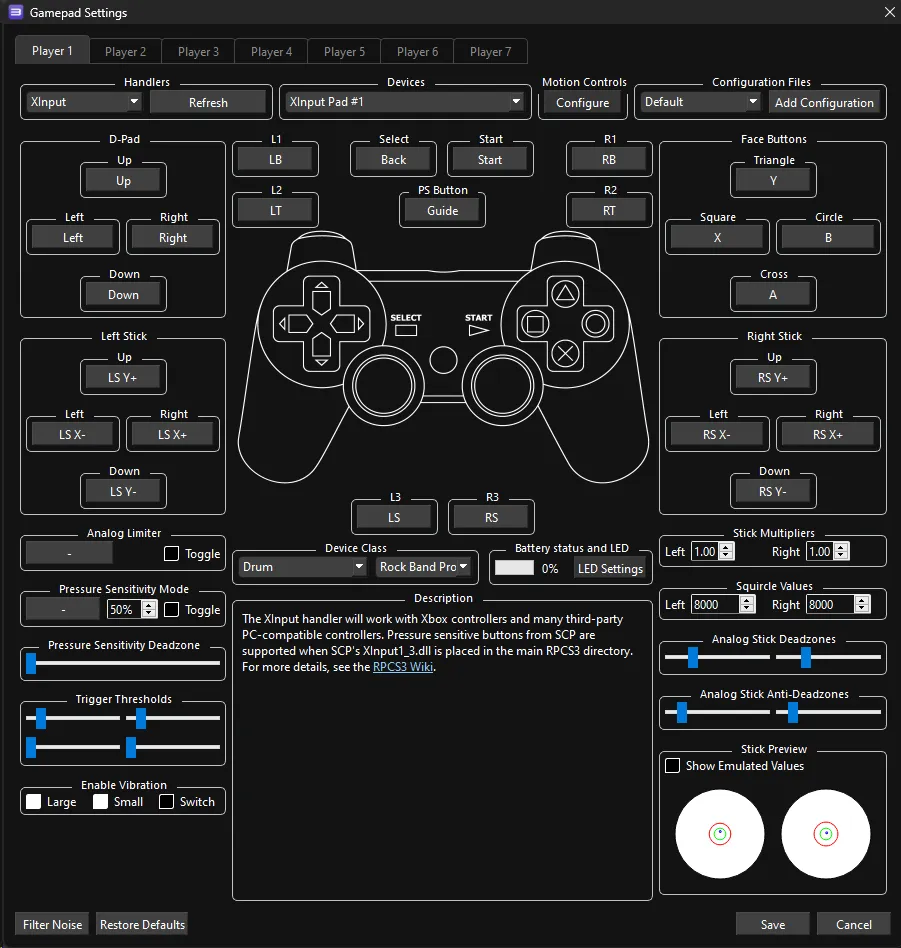
Controller Emulation Mode: ViGEmBus
This is not suggested as it requires lots of manual mapping. You should instead use ViGEmBus (RPCS3 compatibility).
Bindings
Section titled “Bindings”By default, XInput has most things bound correctly. You only need to remap the following:
| RPCS3 | XInput | Drums |
|---|---|---|
| R1 |  |  |
| L3 |  | Pad Modifier |
| R3 |  | Cymbal Modifier |
Advanced Mapping
Section titled “Advanced Mapping”- Rock Band Drums send multiple button presses out at once. For example, a Red pad will send “
B” and “Right Stick Click” (which translates to “Circle” and “L3”.) Keep in mind these are needed to the emulator to tell your cymbals apart.- It’s strongly suggested to bind an Xbox controller like the Mapping screenshot below then swapping the Device to your Xbox One Rock Band Drums.
- To bind multiple buttons to one RPCS3 button, hold Shift then click on the RPCS3 button you want to assign multiple buttons to.
| RPCS3 | Drums |
|---|---|
| Cross |  |
| Circle |  |
| Square |  |
| Triangle |  |
| R3 | Cymbal Modifier |
| D-Pad: Up | Yellow Cymbal Modifier |
| D-Pad: Down | Blue Cymbal Modifier |
| L3 | Pad Modifier |
| L1 |  |
| R1 | |
| Cross |  |
| Circle |  |
| Square |  |
| Triangle |  |
| D-Pad |  |
| PS Button |  |
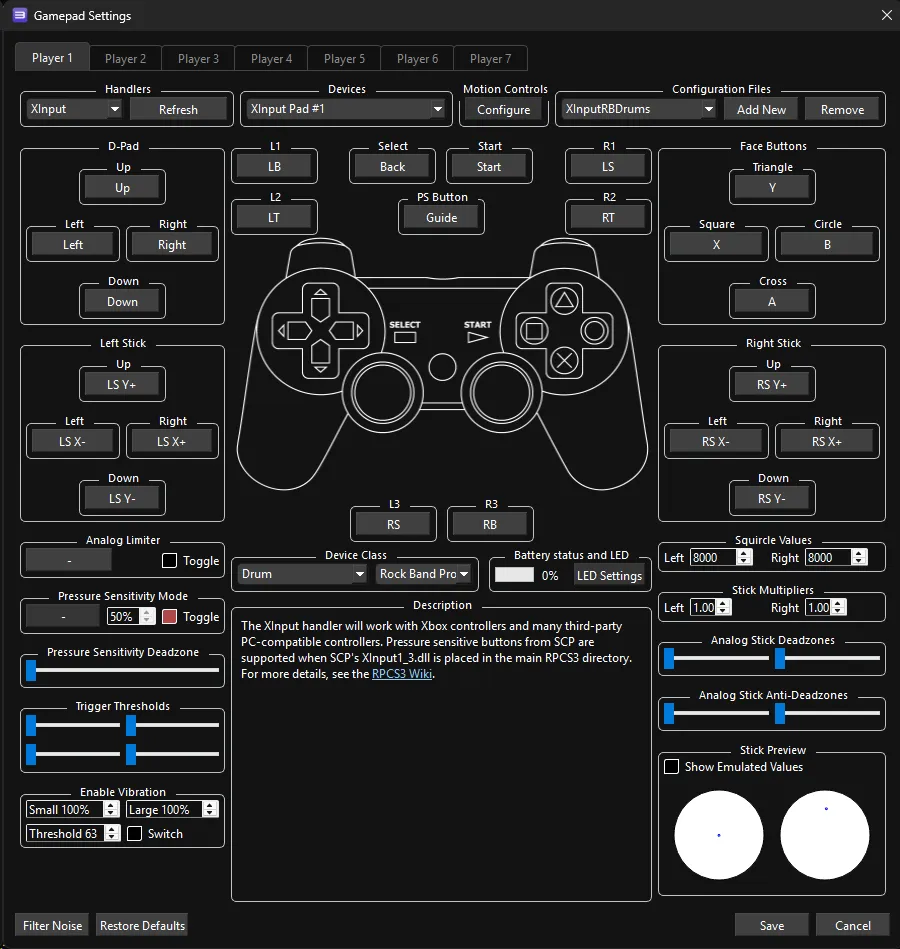
Profile
Section titled “Profile”After downloading the profile,
-
Extract the .7z file.
-
Drag the
input_configsfolder into theconfigsfolder where you have RPCS3 in.
-
After that, you can select the profile in the “Pads” menu.
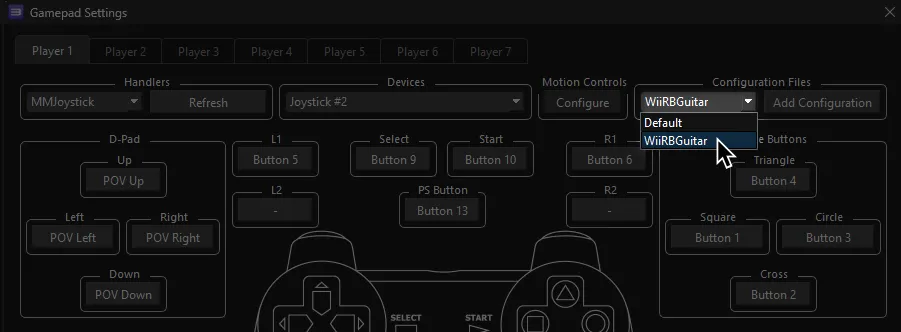
Most of the time, these controller profiles should work out of the box. If they don’t, try changing the controller listed in Devices, next to the Refresh button until it receives an input. You can edit this while the game is running.
Mapped by [gonakil1ya]