Merging song folders
Over time, you might amass a large amount of customs folders, especially if you’re installing individual songs.
This is a problem since, the more folders you have, the longer Rock Band 3 takes to count your songs.

Ideally, you should put as many songs as possible into a pack to load things efficiently.

Thanks to Onyx, you can do this easily! It is basically the same as the earlier as [the Xbox 360 CON to PS3/RPCS3 format tutorial].
Open a file browser and navigate to where your customs are installed.
This is normally within dev_hdd0\game\BLUS30463\USRDIR\.
For PS3, you will have to transfer the folder you want to combine to your computer for processing, which may take a while.
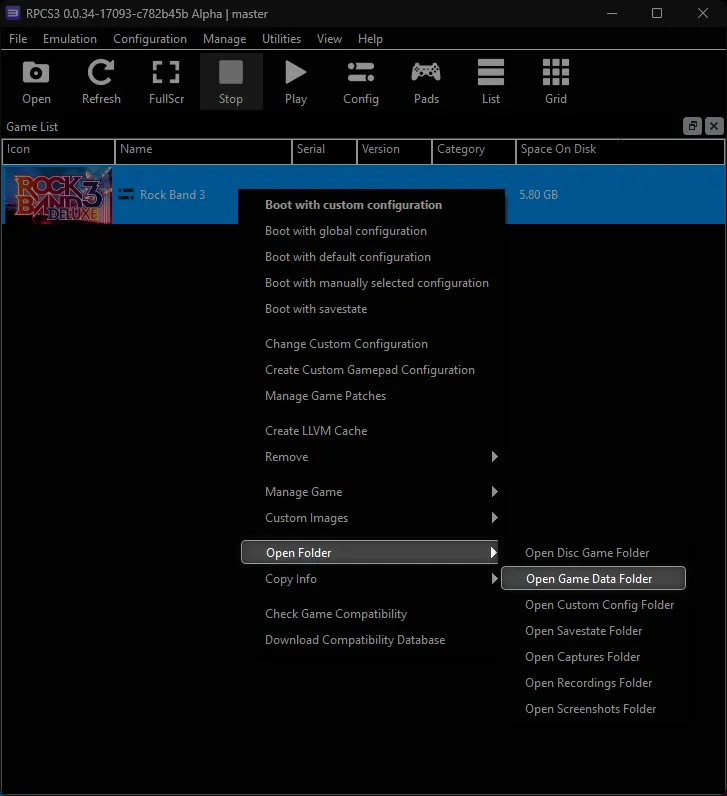
If you’re on RPCS3, you can get there quickly by right clicking Rock Band 3 within RPCS3 then Open Folder > Open Game Data Folder.

Open Onyx Music Game Toolkit and click Quick convert/pack.

Stay on the RB quick convert + pack creator tab.
You can either drag and drop the files you modified or click on Add Rock Band Song to select them.
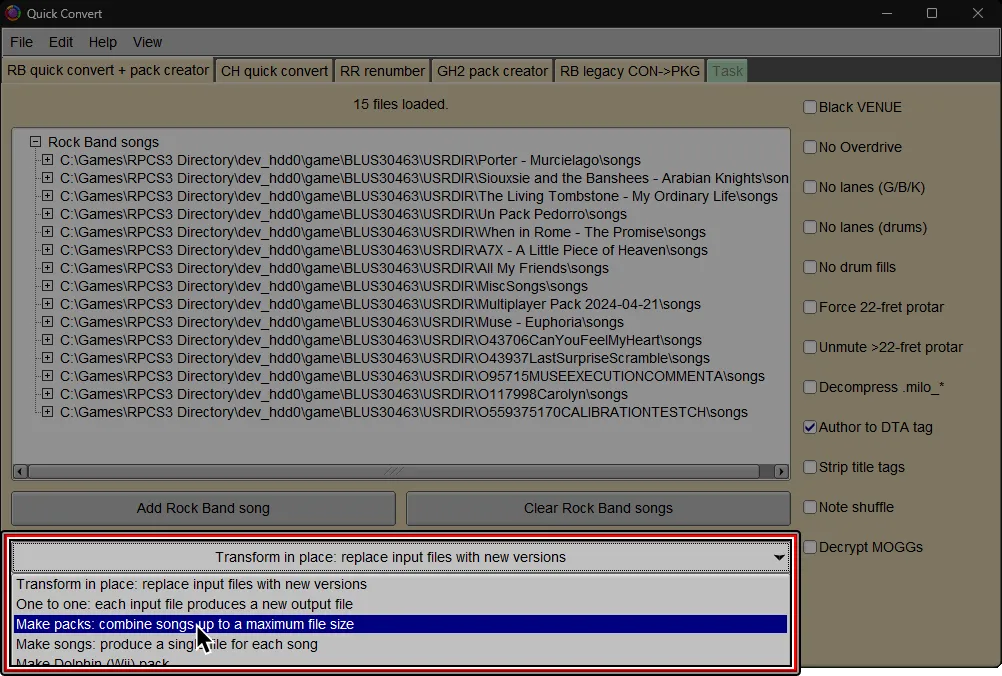
It is also recommended to enable Author to DTA tag at the bottom right.

Below the first row of gray buttons, click the first menu and select Make Packs.
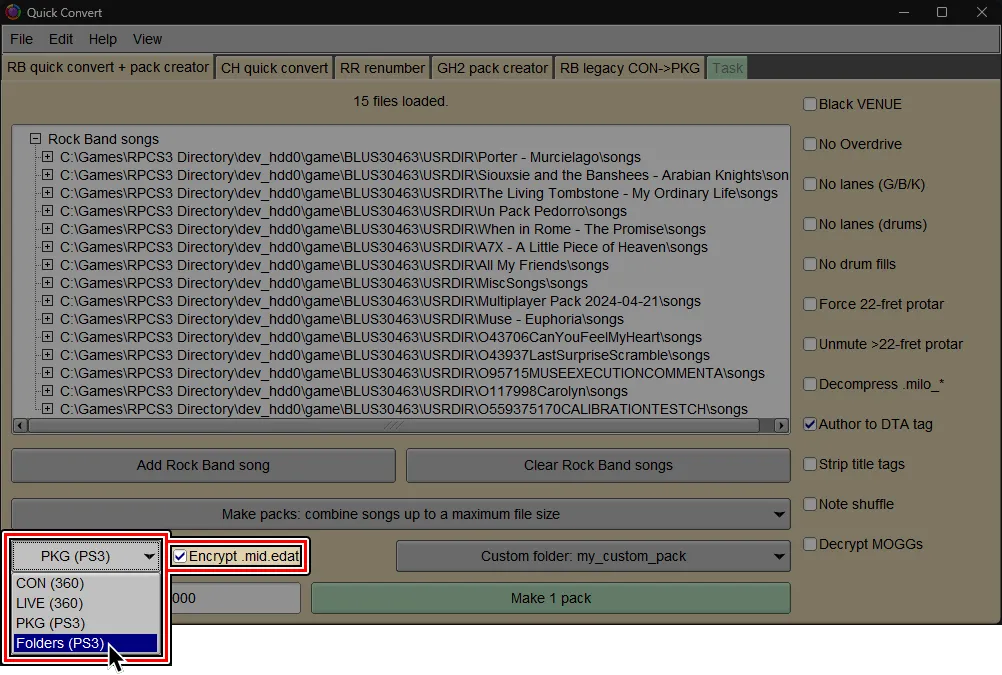
At the bottom left, pick between either PKG (PS3) or Folders (PS3).
Folders (PS3)is recommended for RPCS3 users and PS3 users who know how to use FTP.
It is much faster than PKG creation and can create packs larger than 4GB (4000 MiB).PKG (PS3)is only recommended for PS3 users who can only use USB flash drives to add more songs or if you want to share packs.
(Optional but highly recommended)
By default, Onyx will generate a folder with a name based on the first (or only) song in the pack, like OxxxxxSongName.
It’s suggested to enter a custom name. Simply change Combine into one new USRDIR subfolder per pack to Custom USRDIR subfolder.
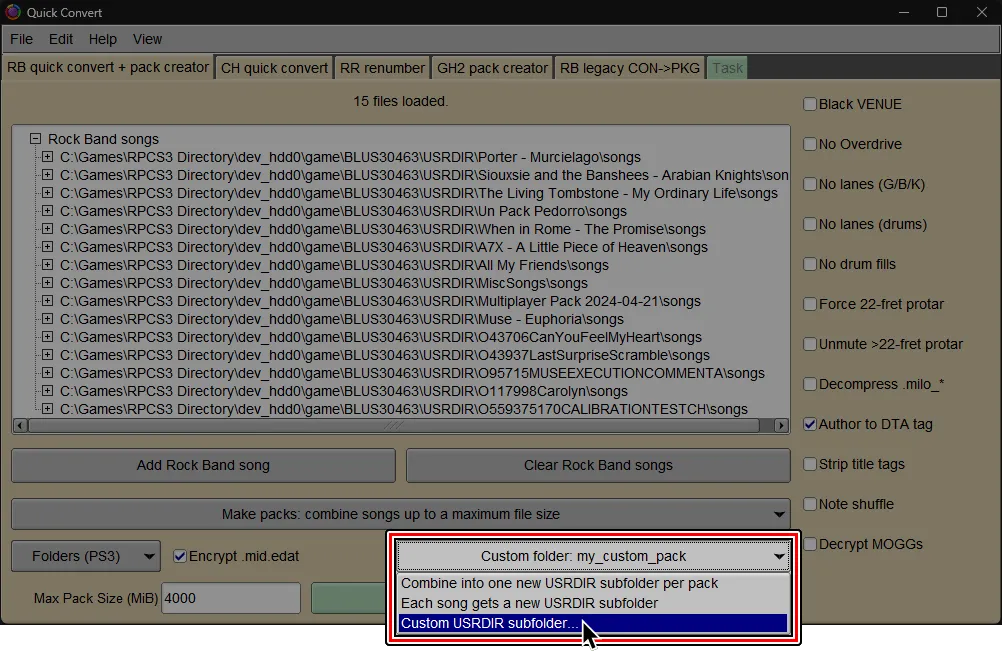
To keep things organized, you should name your packed folder something that makes it easy to find.

At the bottom, select the big button labeled Make pack.
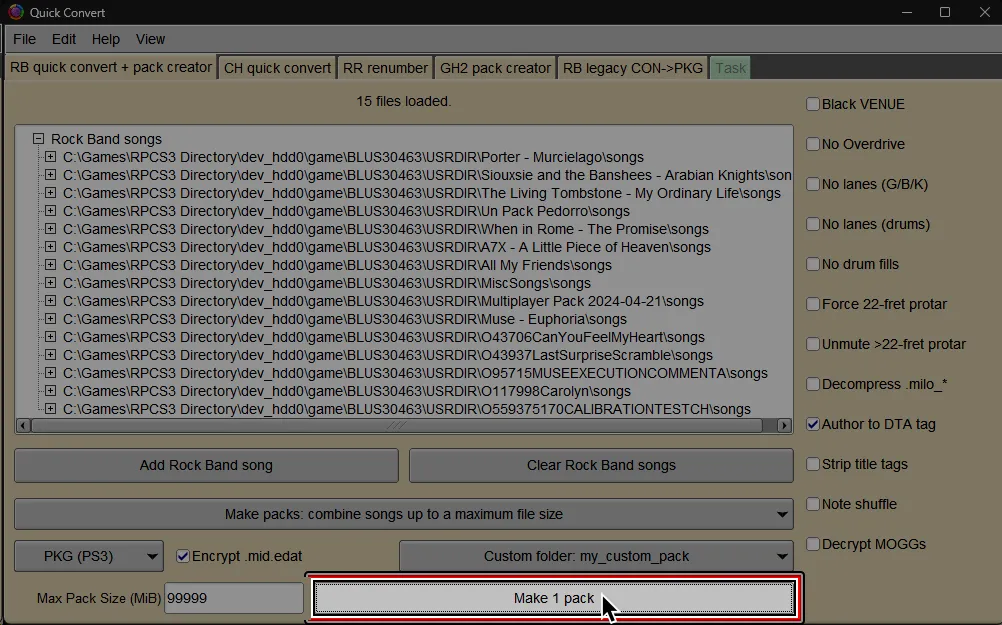
If you’re on RPCS3, find and select the dev_hdd0 folder. This is usually in the folder where RPCS3 is installed to.
If you’re on PS3, pick whichever folder is the most convenient.

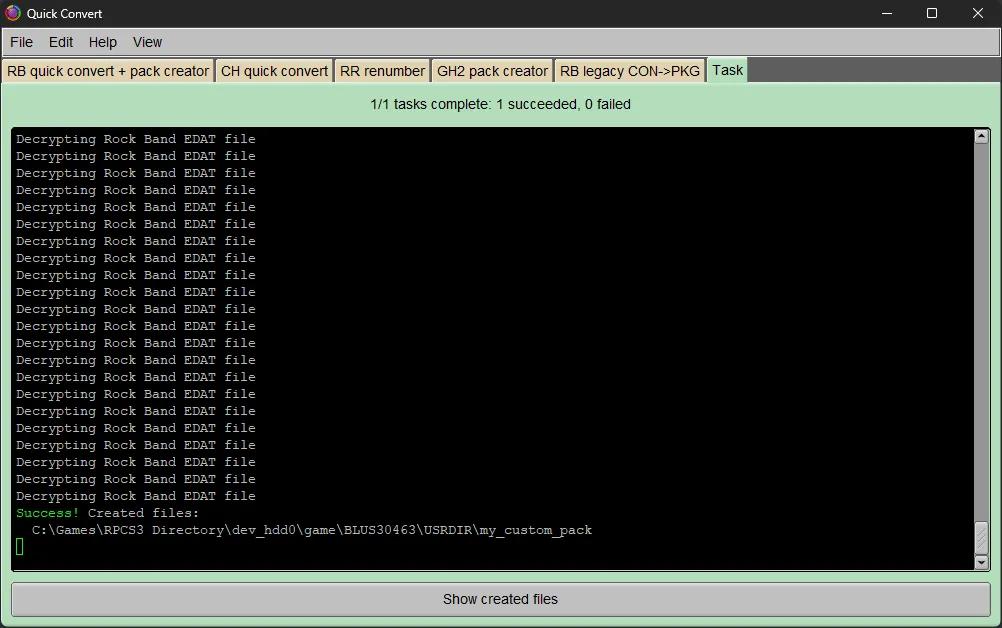
If you’re on RPCS3, it will auto-install into your RPCS3 directory, ready to play.
If you’re on PS3, you’ll have a pack folder ready to transfer to dev_hdd0/game/BLUS30463/USRDIR via FTP.
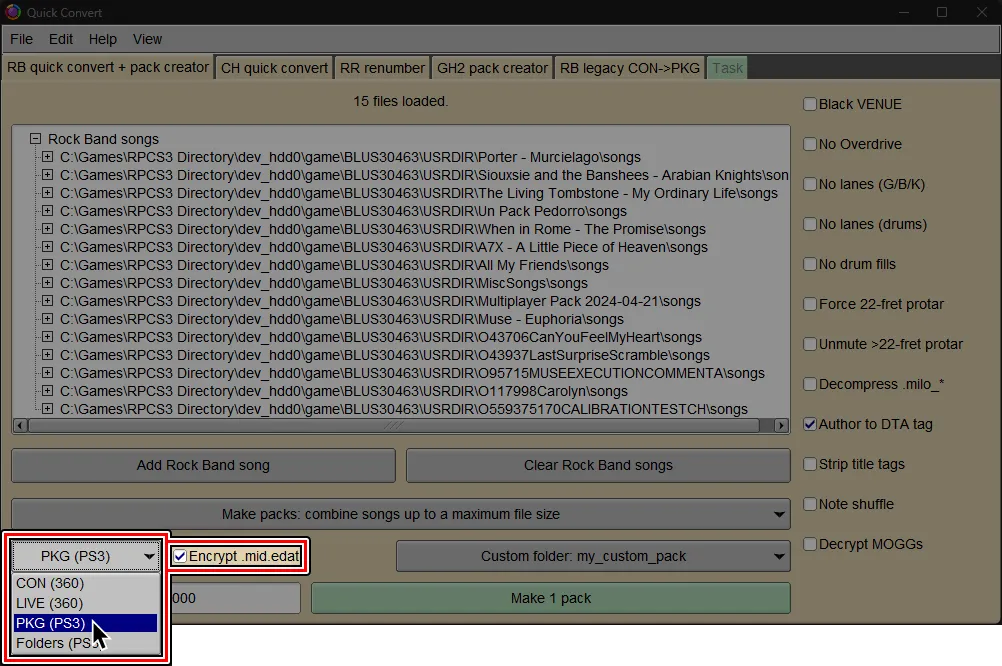
(Optional but highly recommended)
By default, Onyx will generate a PKG that outputs a folder with a name based on the first (or only) song in the pack, like OxxxxxSongName.
It’s suggested to enter a custom name. Simply change Combine into one new USRDIR subfolder per pack to Custom USRDIR subfolder.

To keep things organized, you should name your packed folder something that makes it easy to find.
At the bottom, select the big button labeled Make pack.
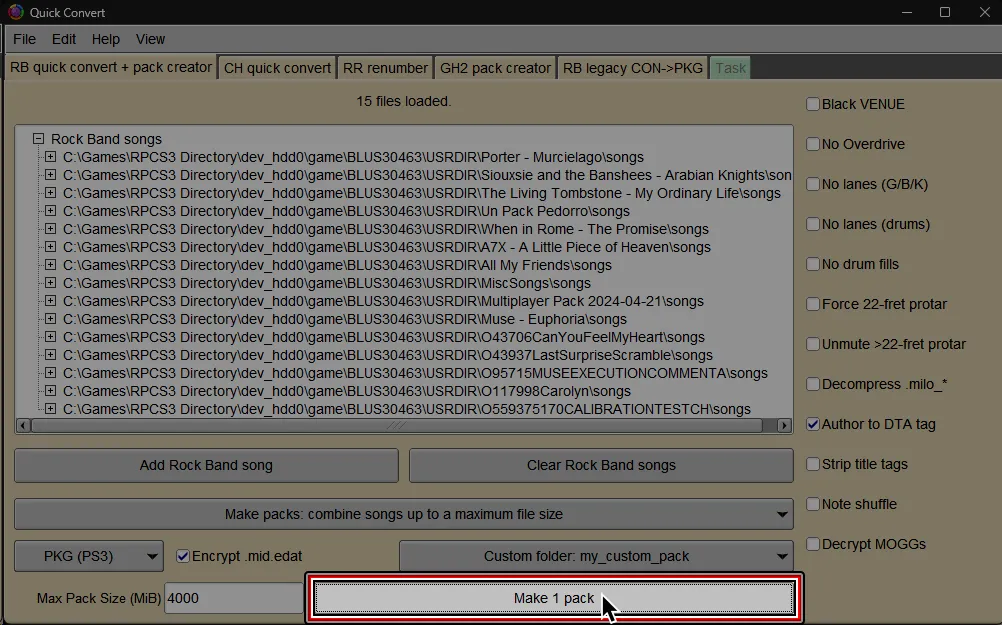
Select where you would like to save the PKG file and give it a name.

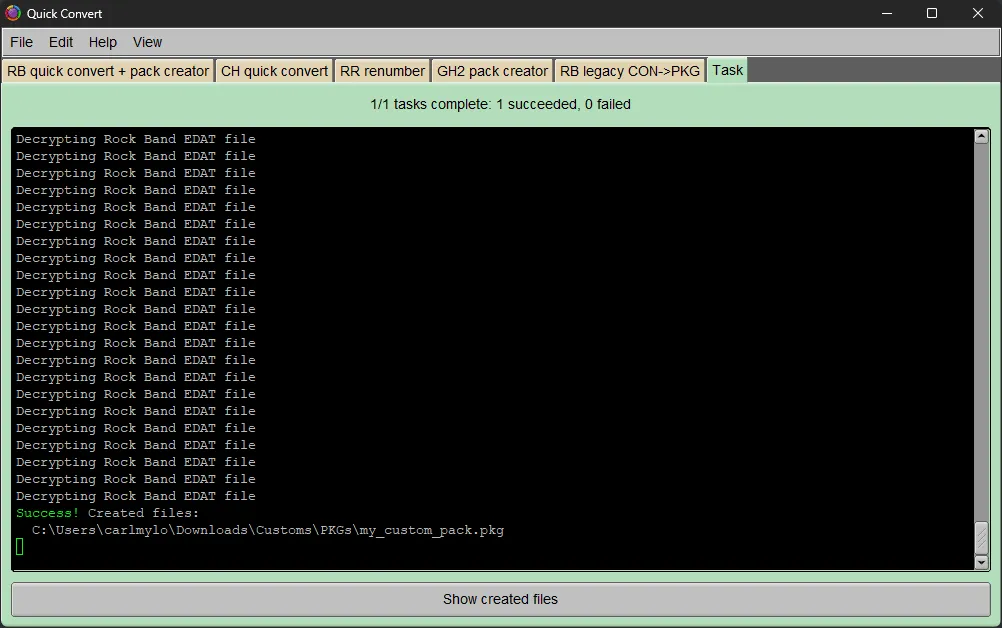
It should successfully convert and a PKG file will be created, ready to install.
Simply install it like any other PKG.