

Converting Clone Hero/YARG songs to Rock Band 3
Do this as a last resort if the charts you want to convert were specifically made for PC clone games (Clone Hero/YARG). If the chart originally existed in RB format, whether it be official DLC or customs, get that first and follow [the Xbox 360 to PS3 guide]!
Failure to do so will result in lost metadata associated with the original song package, including:
- Incompatibility with any song upgrades in RB3DX
- Keys, Pro Guitar, Harmonies, & chart fixes to legacy RB songs that didn’t have them
- Incompatibility with online play and leaderboards
- Animation data such as character lipsync will be lost
Should you decide to ignore the disclaimer and proceed, you will be refused any support from the MiloHax Discord if you run into any issues.
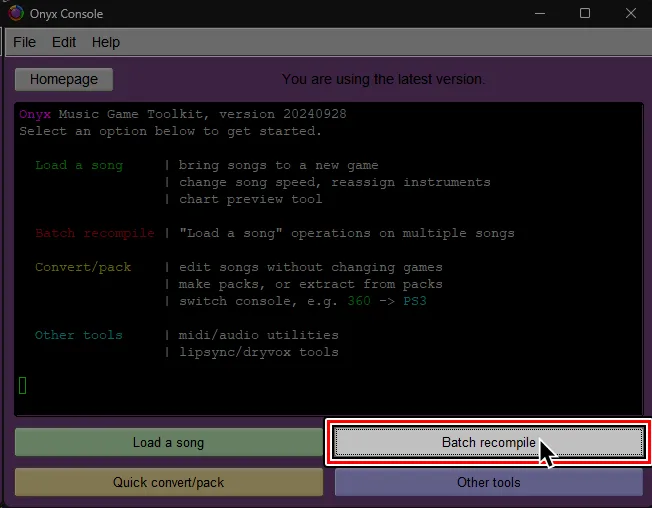
After downloading the charts you want, open Onyx and select Batch recompile.
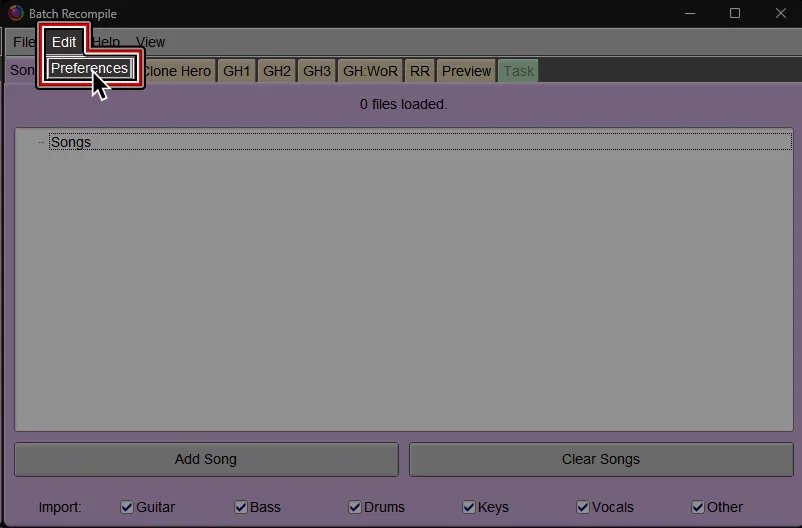
At the top of the Batch Recompile window, click on Edit then Preferences.
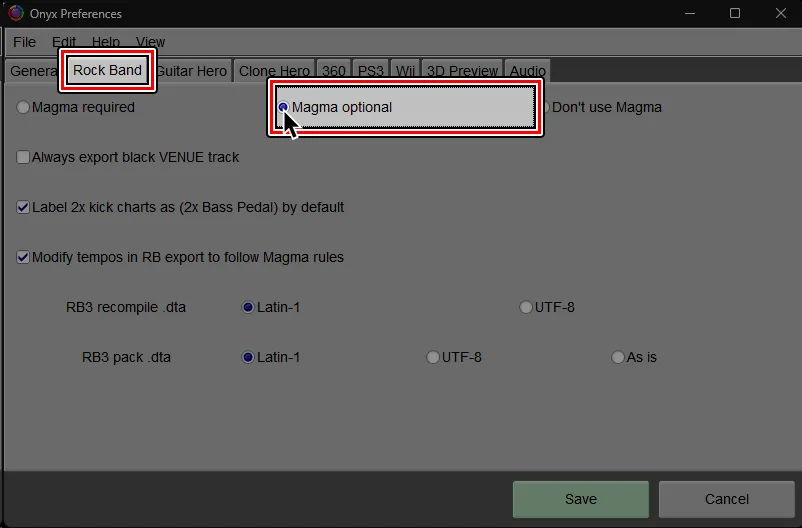
Switch to the Rock Band tab.
Change to Magma optional.
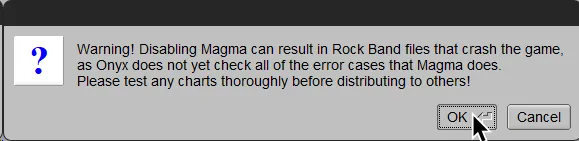
You will be warned about this.
Click OK.
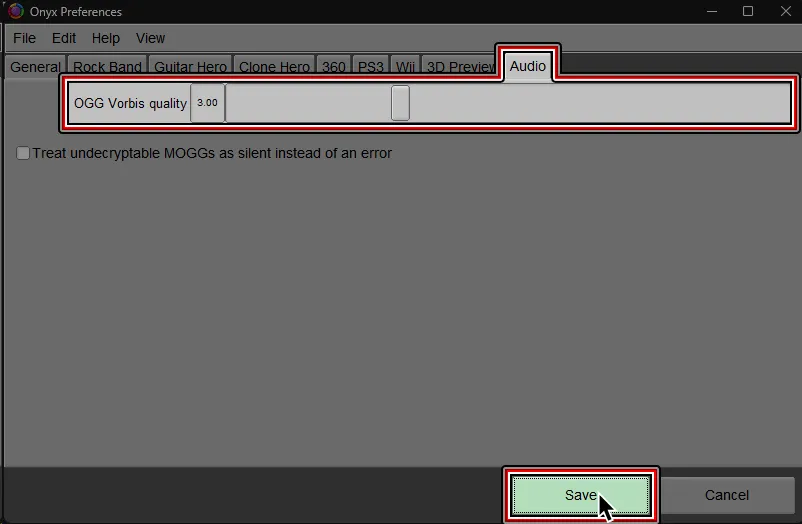
Switch to the Audio tab.
Lower the OGG Vorbis quality to 3.00.
After that, click on Save.

Drag and drop the folder(s) containing the songs you want to convert into the Batch recompile window.
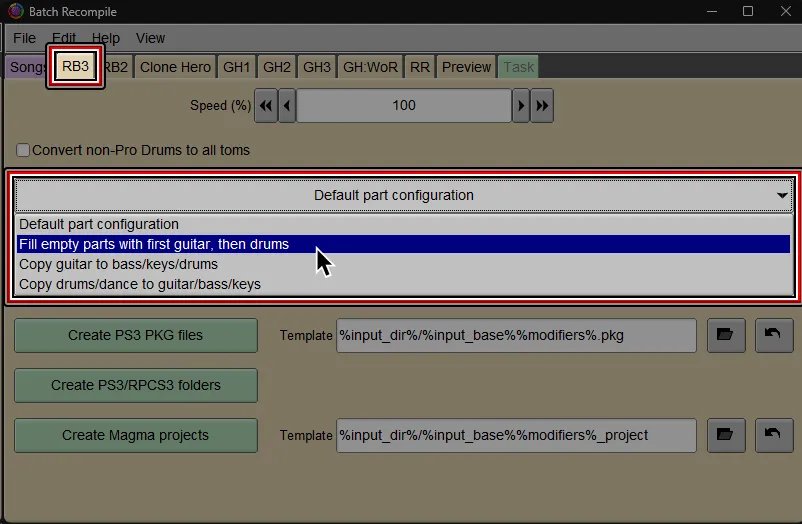
Switch to the RB3 tab.
(Optional): Most Clone Hero songs only have Guitar charted. You may wish to copy it over to other instruments such as Bass/Keys to allow more people to play it at the same time.
Pick between either PKG (PS3) or Folders (PS3).
Folders (PS3)is recommended for RPCS3 users and PS3 users who know how to use FTP.
It is much faster than PKG creation and can create packs larger than 4GB (4000 MiB).PKG (PS3)is only recommended for PS3 users who can only use USB flash drives to add more songs or if you want to share packs.
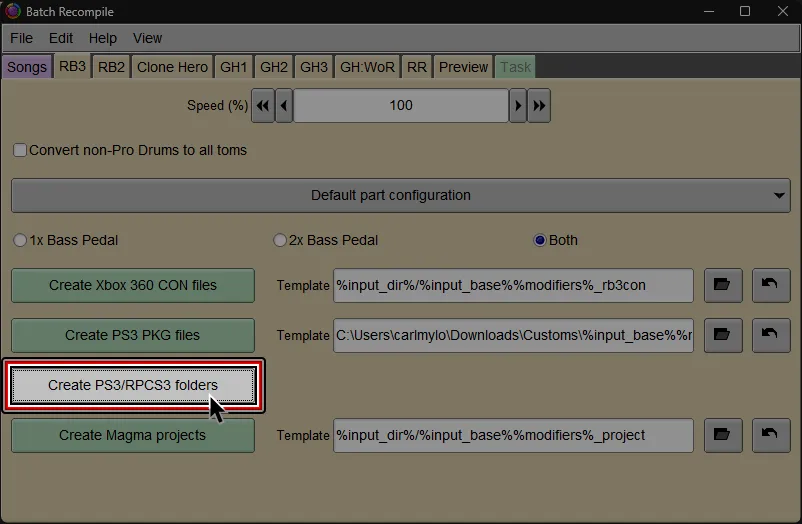
If you’re on RPCS3, find and select the dev_hdd0 folder. This is usually in the folder where RPCS3 is installed to.
If you’re on PS3, pick whichever folder is the most convenient.

If you’re on RPCS3, it will auto-install into your RPCS3 directory, ready to play.
If you’re on PS3, you’ll have a pack folder ready to transfer to dev_hdd0/game/BLUS30463/USRDIR via FTP.
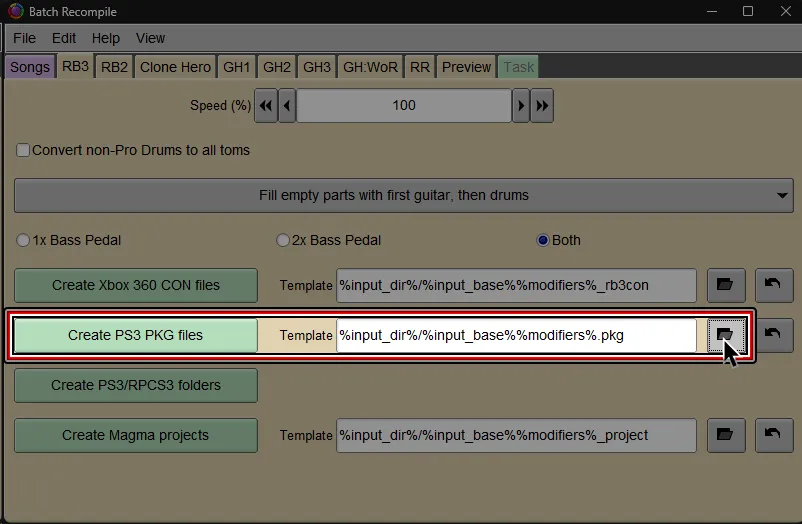
Select where you would like to save the PKG file and give it a name.

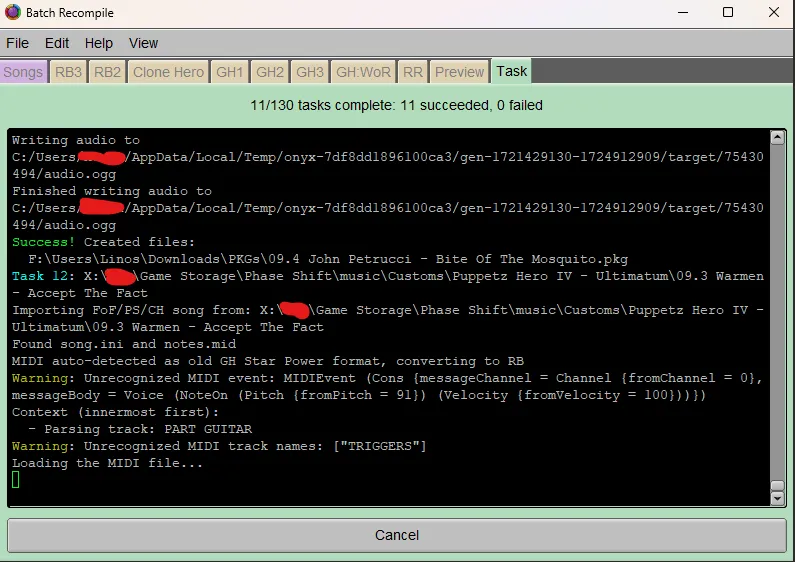
It should successfully convert and a PKG file will be created, ready to install.
Simply install it like any other PKG.